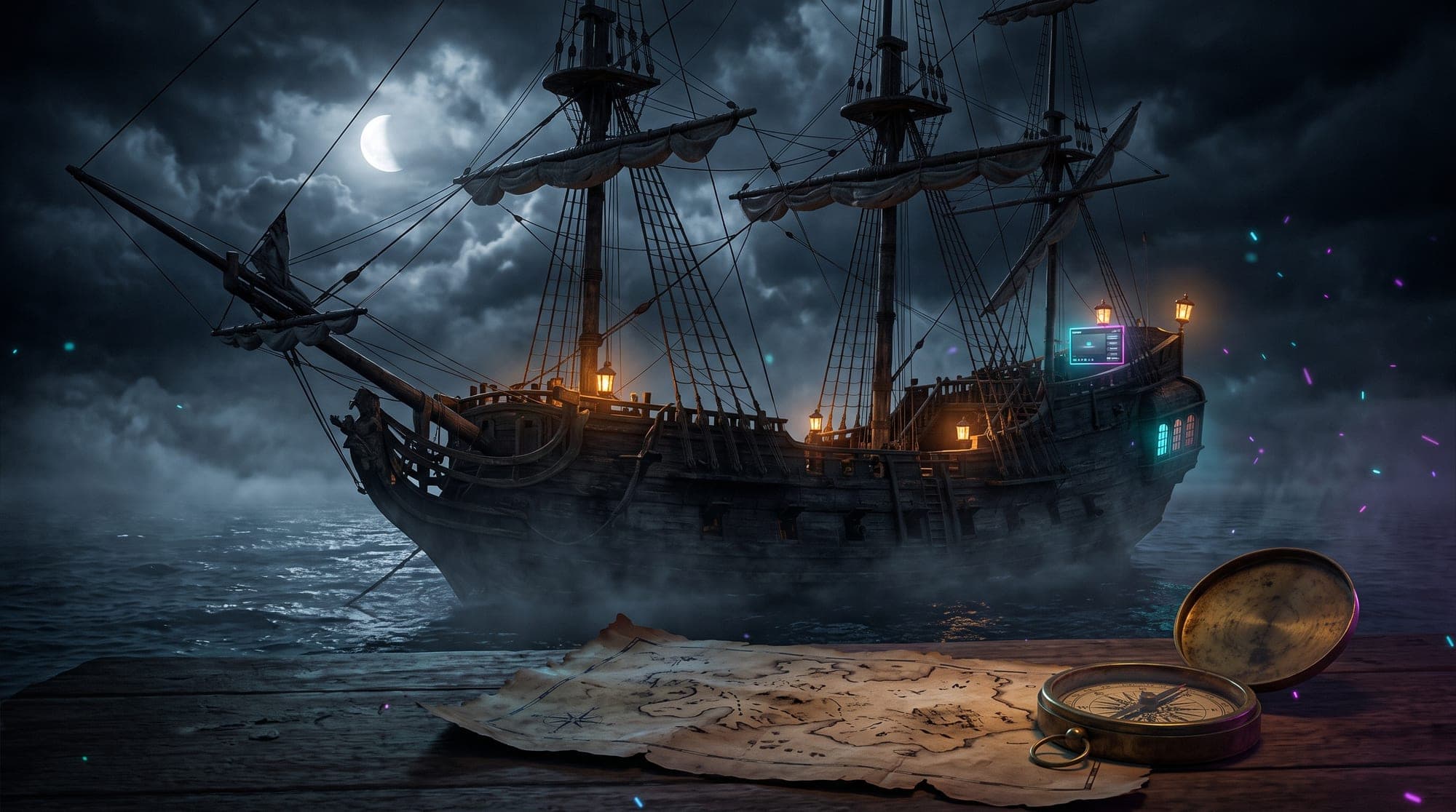
Search "pirate overlay" and you get a harbour full of product thumbnails, but nobody actually tells you what should be in the chest, or how to spot a cinematic wild-sea pack from a cartoon parrot and a free font. So here it is: everything a complete pirate stream overlay includes, the design details that separate the good ones, and which streams the theme genuinely fits.
The complete pirate overlay checklist
A real pirate pack is a full matching set, not a lone webcam frame. Before you spend a doubloon, check it ships with all of this:
- Four animated screens (Starting Soon, Be Right Back, Stream Ending, Offline) as 1920x1080 MP4 or WebM video. These carry the cinematic weight: a static JPEG of a boat does nothing, but a galleon rocking on a moonlit swell with drifting fog sets the whole mood.
- Animated alerts for follows, subs, raids, donations and cheers, delivered as WebM with a transparent background so they play clean over gameplay. A cannon blast or a swinging tavern lantern beats a generic starburst, and we broke down what makes an alert actually engaging if you want the theory.
- An animated webcam frame and chat box in the same style: weathered planks, rope borders, brass corners, a torn map edge.
- Profile panels (About, Rules, Donate, Socials). Treasure-map and carved-plank panel designs are the classic move, and they are half of your channel page's personality. See our complete Twitch panels guide for sizing.
- A stinger transition and labels for scene changes and "latest follower" style callouts.
- Standard compatibility: everything should drop into OBS Studio, Streamlabs Desktop or StreamElements without conversion. If you have never installed one, adding an overlay to OBS takes about ten minutes.
The design language: what makes it read "pirate"
The difference between a cinematic pack and a cheap one is vocabulary. Authentic pirate design leans on a specific set of motifs:
- Treasure maps and parchment with torn, burned edges and hand-drawn coastlines. The single most useful motif in the theme, because it turns panels and alerts into props instead of plain rectangles.
- Material textures: weathered ship wood, rope, tarnished brass, wax seals, aged leather. Flat vector shapes kill the mood instantly.
- Sea and sky atmosphere: moonlit water, rolling fog, storm clouds, lantern glow against the dark. The whole aesthetic lives between dusk and midnight on the water.
- The jolly roger and gold: skull motifs, coins, compass roses. Used as a single accent, they read "pirate" in a heartbeat.
- Slow, heavy motion: a rocking hull, flickering lantern flame, drifting mist. Fast neon-style movement breaks the fantasy.
If a shop's previews show none of these, just a blue gradient and a parrot icon, keep your coins in the chest.
Which streams the pirate theme actually fits
Wider than you would think:
- Sea of Thieves: the obvious home. A matching pirate overlay makes your channel read as the place for it, and the game still holds a loyal Twitch crowd.
- Skull and Bones and Assassin's Creed Black Flag: naval-combat and age-of-sail games that the theme was practically made for.
- One Piece and anime-pirate content: a slightly brighter pirate pack fits anime crews and manga talk streams beautifully.
- RPG and adventure games: any open-world sailing, survival-at-sea or treasure-hunting game (from Valheim voyages to Windbound).
- Just-chatting and IRL sea content: the ship-deck framing is a gift for talk formats, where your BRB screen says gone ashore and your chat box becomes the captain's log. If that is your lane, our Just Chatting overlay guide pairs well with this theme.
The theme's real advantage: almost nobody uses it well. In a sea of neon and anime channels, a properly executed pirate layout is instantly memorable, and standing out visually is most of what looking professional on stream comes down to.
One warning: dark palettes and readability
Pirate palettes run deep: navy, black, weathered brown, with warm lantern accents. Beautiful, and low-contrast by nature. Two things to check before you commit:
- Text areas need contrast islands. Cream text on parchment looks great in a preview and vanishes over bright gameplay. Good packs give labels and chat their own darkened panel or a burned-edge frame.
- One accent color, used everywhere. Gold (coins, compass brass) or blood red (wax seal, sail trim): pick a pack that commits to one. Our stream color palette guide covers why this matters more than the palette itself.
What this looks like done properly
Our own Pirate Ship pack is the reference we design against: rated 5.0 stars across 5 reviews, 50+ elements, $17.99. The four screens are little sea-adventure scenes, from a galleon at anchor for Starting Soon to a stormy horizon for Stream Ending, plus treasure-map panels, cannon-fire alerts, a rope-bordered webcam frame and a chat box styled like a ship's log. Everything ships in standard MP4, WebM and PNG for OBS, Streamlabs and StreamElements, and it sits in our fantasy and RPG collection alongside the rest of the adventure line.
Not ready to spend? Grab any of the free screen makers to learn the installation workflow first, and read the honest free vs paid comparison. The mechanics are identical whichever theme you end up sailing with.
The short version
A pirate overlay worth buying includes four animated screens, transparent-WebM alerts, an animated webcam frame, a chat box, treasure-map panels, a stinger and labels, all in one coherent style built from weathered wood, parchment maps, lantern light and stormy seas. It fits far more than Sea of Thieves, the theme is rare enough to make a channel memorable, and the one thing to verify before checkout is text readability over that dark palette. Fair winds. 🏴☠️
(Same buying logic, different setting: our guide to what a medieval stream overlay includes applies the checklist to castles and torchlight.)