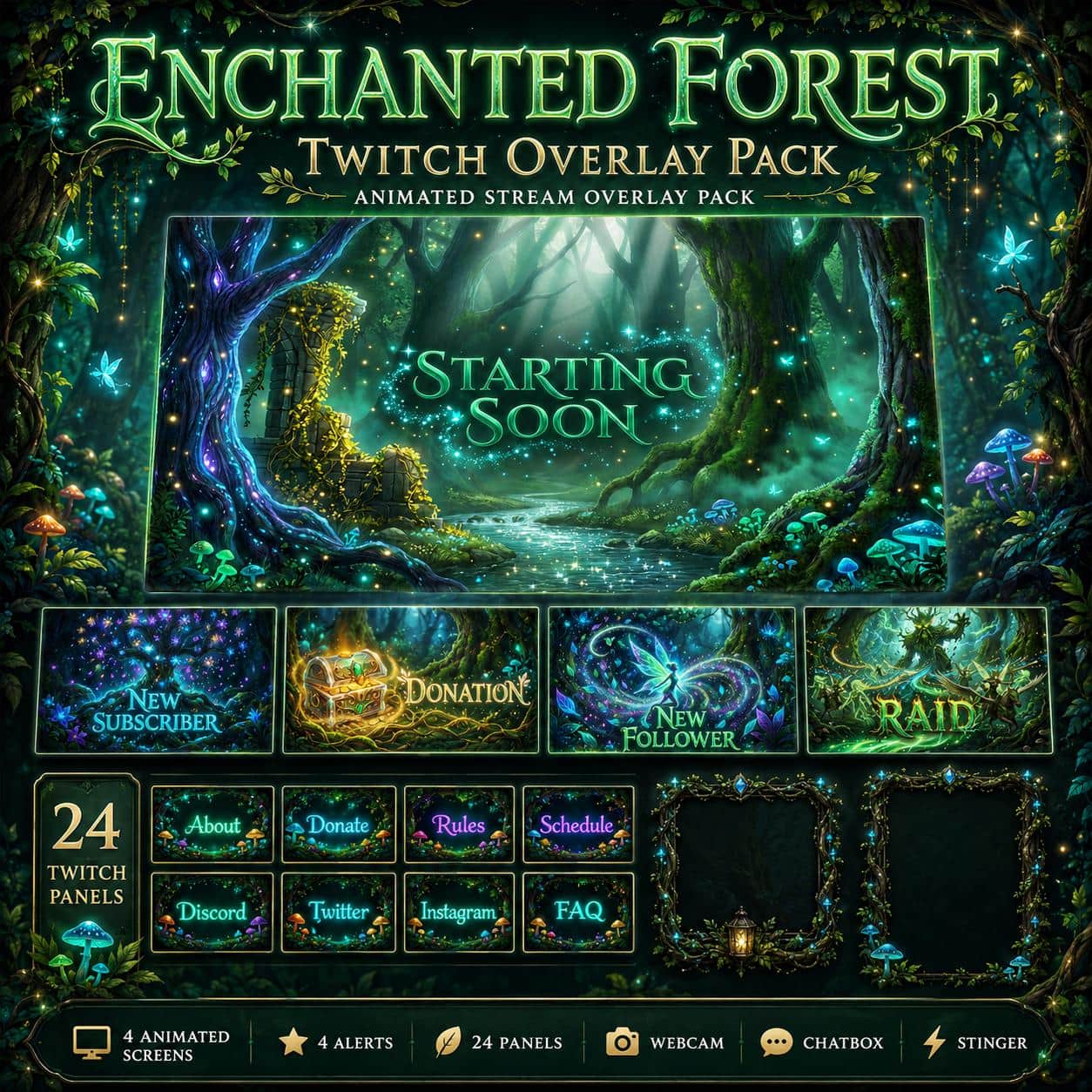
Pirate Twitch Overlay Pack – Animated Pirate Ship
Fantasy / RPG

Pirate Twitch Overlay Pack – Animated Pirate Ship

5.0/5 · 8 selected reviews (2–5 stars)
$17.99Tax included

Save more: any 2 packs −15%, any 3 or more −25%. Applied automatically at checkout.

  • Broken file, we fix it or refund it. If a download fails or a file is corrupted, tell us within 14 days.
  • Setup help included. Stuck in OBS? Read the 5-minute guide or just ask.
  • A real person answers. Mohamed designs every pack here and reads every message.

Downloads are final once delivered. Full policy

What's inside

  • 53 media files + 1 PDF installation guide; static and animated variants counted separately
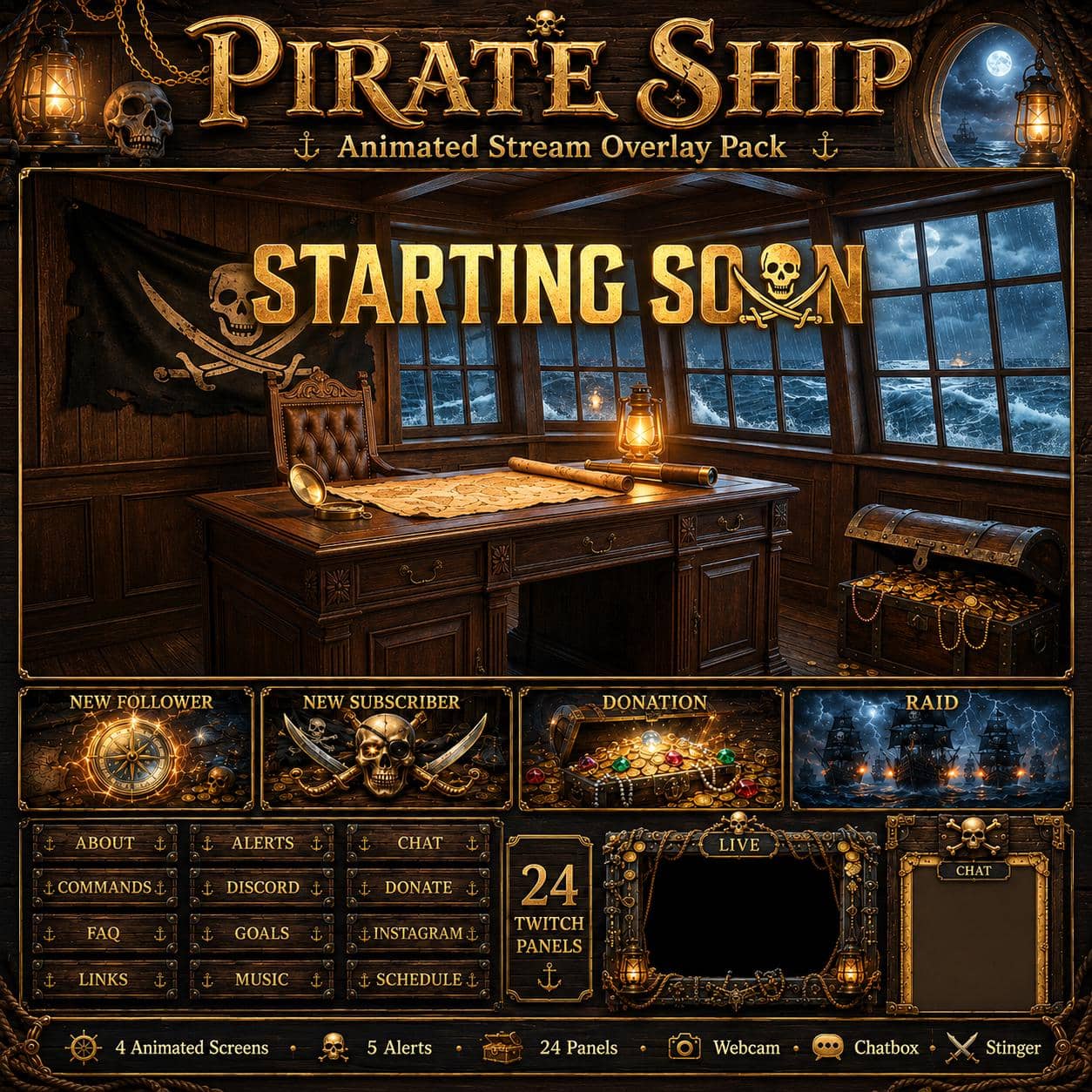
  • 4 stream screens: Starting Soon, Be Right Back, Offline and Stream Ending — each in 1920×1080 MP4 + JPG
  • 7 alert designs: Follower, Subscriber, Donation, Raid, Purchase, Cheers and Tips — each in 1920×1080 MP4 + JPG; audio embedded in the MP4s
  • 24 matching Twitch panel PNGs, 320×100
  • Pirate webcam frame: animated transparent WEBM + static transparent PNG, 1920×1080
  • Just Chatting: animated WEBM with a clear camera opening + static PNG with a dark translucent camera area, 1920×1080
  • Decorative chatbox PNG, 1024×1536; live chat must be added separately
  • Stinger transition MP4 + matching JPG still
  • PDF installation guide; arrange the individual files in your streaming setup

OBS / Streamlabs / StreamElements · Original audio · No copyrighted content · Instant download

The details

Description

Give your channel a lantern-lit captain's cabin with this Pirate Twitch overlay pack. Stormy seas beyond the windows, weathered timber, ropes, skulls, maps and treasure tie the screens and frames together. The animated pirate ship theme suits sailing adventures, treasure-hunting gameplay and nautical Just Chatting streams without relying on a particular game's branding.

Four screens, animated or static

Starting Soon, Be Right Back, Offline and Stream Ending each include a 1920×1080 MP4 and a matching JPG. Use a video screen in your OBS scene, or choose its still version for a static presentation. The download contains 53 media files plus the PDF guide, counting those animated and static variants separately—not 53 different designs.

Seven matching alert designs

Follower, Subscriber, Donation, Raid, Purchase, Cheers and Tips each come as MP4 and JPG files. The alert videos contain embedded audio; separate WAV files are not included. These are media assets, so map them to supported events in your alert system rather than expecting them to trigger automatically after importing the ZIP.

Webcam and Just Chatting layouts

The separate webcam frame includes an animated transparent WEBM and a static transparent PNG. Just Chatting includes both WEBM and PNG versions, with the camera area on the left and a decorative chat column on the right. Use the animated layout for a clear camera opening; the static PNG has a dark translucent camera area. Add your live chat above the decorative chat area. The separate chatbox PNG is artwork, not a connected message widget.

Finish the channel setup

There are 24 matching Twitch panel PNGs at 320×100, including About, Rules, Schedule, Donate, Discord, Socials and more. The stinger is supplied as an MP4 with a matching JPG still; only the video plays a transition. The current ZIP does not include Twitch or YouTube banners, a separate gameplay overlay or editable source projects.

Add the files to OBS

Extract the ZIP before adding the files. Use Media Sources for MP4 and WEBM, and Image Sources for JPG and PNG. Enable Loop for waiting screens or animated frames you want to keep playing, and place transparent frames above your camera. The PDF guide and our OBS overlay setup guide explain the basic workflow. If you only need a simple screen first, try the free stream tools.
Customer feedback

Selected customer reviews

5.0

Average of 8 selected reviews (2–5 stars)

This average covers selected published reviews rated 2 to 5 stars only. One-star reviews are excluded; this is not the overall customer rating.

Everything turned out pretty good. I had a problem with the extracting all of the files at once but turns out I discovered that I had to extract each file at a time to collect the whole bundle. Everything looks fantastic

Genuine · 01 Sept 2026

beautiful, better than the one i'm using actually

CaptainRedWolf · 09 Aug 2026

Love it. High quality and great alerts.

GiiN · 26 Jul 2026

Great package. Easy to install and use.

Molly · 10 Jun 2026

Quality of the effects and ease of installation are awesome! They included a very detailed guide on how to set everything up!

Andrew · 10 May 2026

Rychle dodáni a Overlay se hodí

Michael · 03 May 2026

Amazing top quality art work, and exceptional customer service.

Minerva · 16 Apr 2026

I bought the pack, it's absolutely amazing. On top of that, I contacted them for some bonuses, they responded quickly and the quality is incredible. I highly recommend it.

Zeb Mapping · 16 Apr 2026

Good to know

Frequently asked questions

Does Pirate Ship include animated and static versions?+

Yes. All four stream screens and seven alert designs have an MP4 and a matching JPG. The webcam frame includes WEBM and PNG versions, as does Just Chatting. The stinger has an MP4 and a JPG still; only the MP4 plays a transition. Static and animated files are counted separately in the 53 media files.

Which Pirate Ship files are transparent?+

The webcam PNG and WEBM have a clear camera opening, and so does the animated Just Chatting WEBM. The static Just Chatting PNG has a dark translucent camera area rather than the same fully clear opening. Its chat column and the center of the separate chatbox are opaque decoration: place live chat above them. JPG screens and standard alert MP4s are not transparent overlays.

How do I install the Pirate overlay files in OBS?+

Extract the ZIP first. Add MP4 and WEBM files as Media Sources and JPG or PNG files as Image Sources. Enable Loop for waiting screens and frames that should keep playing. Place transparent frames above your camera source and align the camera with the opening. Add live chat and alert triggers separately. See the included PDF and the linked OBS guide for the basic scene workflow.

Are all seven alerts automatic Twitch widgets?+

No. The ZIP includes Follower, Subscriber, Donation, Raid, Purchase, Cheers and Tips designs as MP4 and JPG files. The videos have embedded audio. Event support and naming depend on the platform and alert service you use; you configure the triggers and any live text separately. No preconfigured alert widgets or separate WAV files are included.

Does the Pirate Ship download include banners or a gameplay overlay?+

No. The verified ZIP includes four screens in MP4 and JPG, seven alerts in MP4 and JPG, 24 panel PNGs, webcam and Just Chatting PNG/WEBM files, a chatbox PNG, a stinger MP4/JPG and the PDF guide. Twitch and YouTube banners, a separate gameplay overlay and editable source projects are not included in the current download.

How do I receive the files after purchase?+

Delivery is instant and digital. Right after checkout you get a secure download link by email and in your account - no waiting and no shipping.

Can I get a refund?+

Because the products are digital and delivered instantly, all sales are final. If a file is corrupted or a download genuinely fails, contact us within 14 days and we'll fix it or, at our discretion, issue a refund.

You might also like

Related packs