Ocean Twitch Overlay Pack | Animated Underwater Deep Sea Screens Alerts Webcam Panels
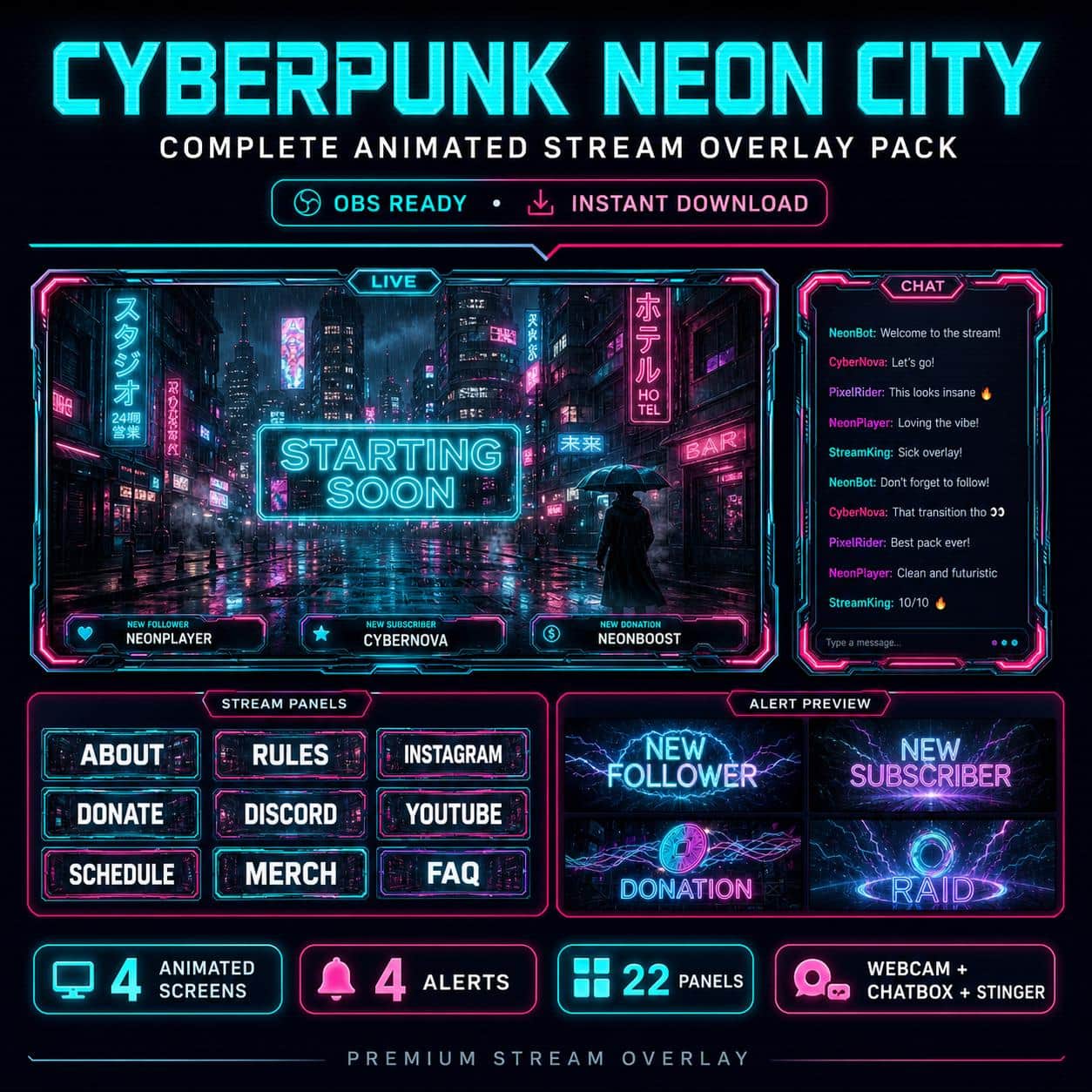
Cyberpunk / Neon

Ocean Twitch Overlay Pack | Animated Underwater Deep Sea Screens Alerts Webcam Panels

$17.99Tax included

Save more: any 2 packs 15%, any 3 or more 25%. Applied automatically at checkout.

  • Broken file, we fix it or refund it. If a download fails or a file is corrupted, tell us within 14 days.
  • Setup help included. Stuck in OBS? Read the 5-minute guide or just ask.
  • A real person answers. Mohamed designs every pack here and reads every message.

Downloads are final once delivered. Full policy

What's inside

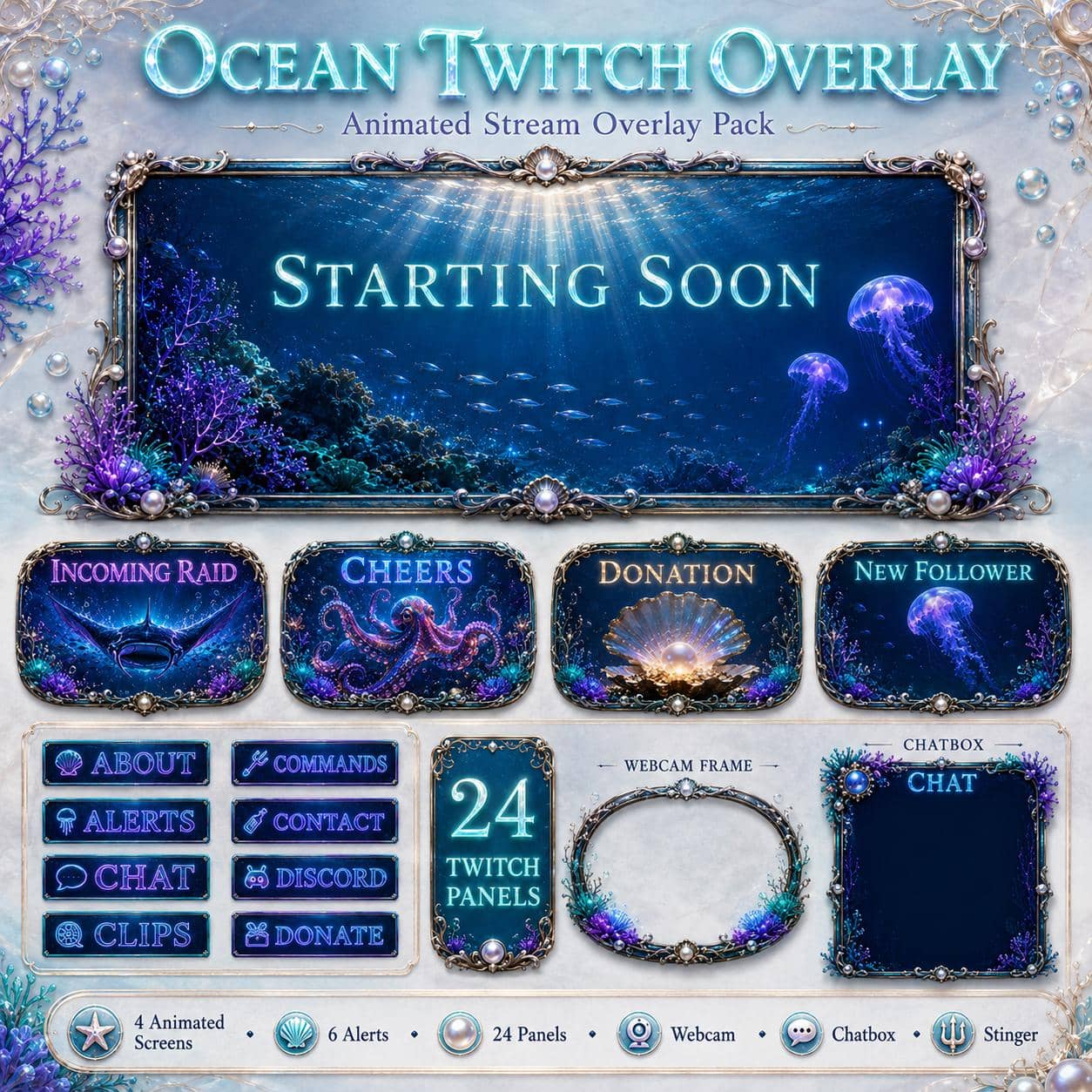
  • 📦 50+ Elements Included
  • 🎬 4 Animated Screens (MP4 seamless loop + JPG preview, 1920x1080)
  • Starting Soon - deep-sea abyss with glowing jellyfish and caustic light
  • Be Right Back - drifting bioluminescent scene
  • Stream Ending - descending into the deep with glowing plankton
  • Offline - still abyssal water with subtle bubbles and neon bleed
  • ⚡ 6 Animated Alerts (MP4, 1920x1080)
  • Follower - bioluminescent jellyfish burst
  • Subscriber - glowing coral bloom
  • Donation - treasure chest with golden light
  • Tips - cascading bubbles and sparkles
  • Raid - school of neon fish rushing in
  • Cheers - rising glowing bubbles celebration
  • 🎞 Animated Stinger Transition (3.5s MP4) - smooth underwater scene-change effect
  • 🎥 2 Webcam Frames
  • Animated WEBM with alpha channel (transparent, drop into OBS)
  • Static transparent PNG (1920x1080)
  • Decorative coral, anemones, seahorse and bioluminescent glow around a porthole window
  • 💬 Animated Chatbox Overlay - matching deep-sea theme for on-screen chat
  • 🎤 Just-Chatting Scene Overlay - decorative frame for IRL / just-chatting segments
  • 📋 24 Stream Panels (PNG, 320x100)
  • About · Alerts · Chat · Clips · Commands · Contact · Discord · Donate · Events · FAQ · Goals · Instagram · Links · Merch · Mods · Music · Rules · Schedule · Socials · Specs · Subscribe · TikTok · Twitter · YouTube
  • 📖 PDF Installation Guide - step-by-step setup for OBS Studio, Streamlabs and StreamElements
  • 💬 Animated / static Just Chatting overlay with alpha transparency - ready for OBS
  • 🖼️ Twitch Banner (JPG)
  • 🖼️ YouTube Banner (JPG)
  • 🎮 Gameplay Overlay

OBS / Streamlabs / StreamElements · Original audio · No copyrighted content · Instant download

The details

Description

A bioluminescent abyss of deep ocean blues, glowing neon tubes and drifting bubbles - this underwater overlay gives chill and aesthetic streamers a cinematic, calming identity. With 40+ matching elements, your whole channel shares one moody deep-sea vibe.

What you get (40+ elements):

  • 4 animated screens with seamless loops - Starting Soon, Be Right Back, Stream Ending, Offline.
  • 6 dynamic animated alerts - Follower, Subscriber, Donation, Tips, Raid, Cheer.
  • 24 Twitch panels for a clean channel page.
  • 2 webcam frames (animated WEBM alpha + PNG), a deep-sea chatbox, a just-chatting scene and a stinger transition.
  • A PDF install guide for OBS, Streamlabs, StreamElements and Facebook Gaming.

Perfect for:

This deep-sea look is perfect for chill and aesthetic streamers. It's a great fit for Subnautica, Abzû, Endless Ocean Luminous, Stardew Valley and Dredge channels, plus ASMR, lofi, study-with-me and VTuber streams. If your vibe is calm, moody and atmospheric, this pack matches it.

Why it works:

A cohesive deep-sea theme gives your channel a soothing, premium feel that's rare among smaller streamers - and that polish helps you stand out instantly. The glowing, cinematic scenes also make beautiful clips and thumbnails.

Curious how it looks live? Try our free screen makers first.
Good to know

Frequently asked questions

Does this overlay work with OBS, Streamlabs and StreamElements?+

Yes. Every NeonStreamLab pack works with OBS Studio, Streamlabs and StreamElements. The animated screens are standard MP4/PNG files and the alerts work as browser sources, so they drop straight into your software with no plugins required.

How do I install the overlay?+

It takes about five minutes. Unzip the pack, then in OBS add each screen as a Media Source (or Image), position your webcam frame, upload the panel images to your channel, and set up the alerts in Streamlabs or StreamElements. A step-by-step PDF guide is included with every pack.

Can I use this overlay on Twitch, YouTube and Kick?+

Yes. The pack is fully compatible with Twitch, YouTube Live and Kick, as well as Facebook Gaming. The same files work across every platform.

Is the audio copyright-free? Will I get a DMCA strike?+

All audio is original and copyright-free, so you won't get DMCA strikes or muted VODs from using the alert sounds. No third-party music or copyrighted content is included.

How do I receive the files after purchase?+

Delivery is instant and digital. Right after checkout you get a secure download link by email and in your account - no waiting and no shipping.

Can I get a refund?+

Because the products are digital and delivered instantly, all sales are final. If a file is corrupted or a download genuinely fails, contact us within 14 days and we'll fix it or, at our discretion, issue a refund.

You might also like

Related packs