25% off everything
Retro Twitch Overlay Pack | Animated 80s Synthwave Vaporwave Screens Alerts Webcam
Cyberpunk / Neon

Retro Twitch Overlay Pack | Animated 80s Synthwave Vaporwave Screens Alerts Webcam

$13.49$17.9925%Tax included

What's inside

  • 📦 50+ Elements Included
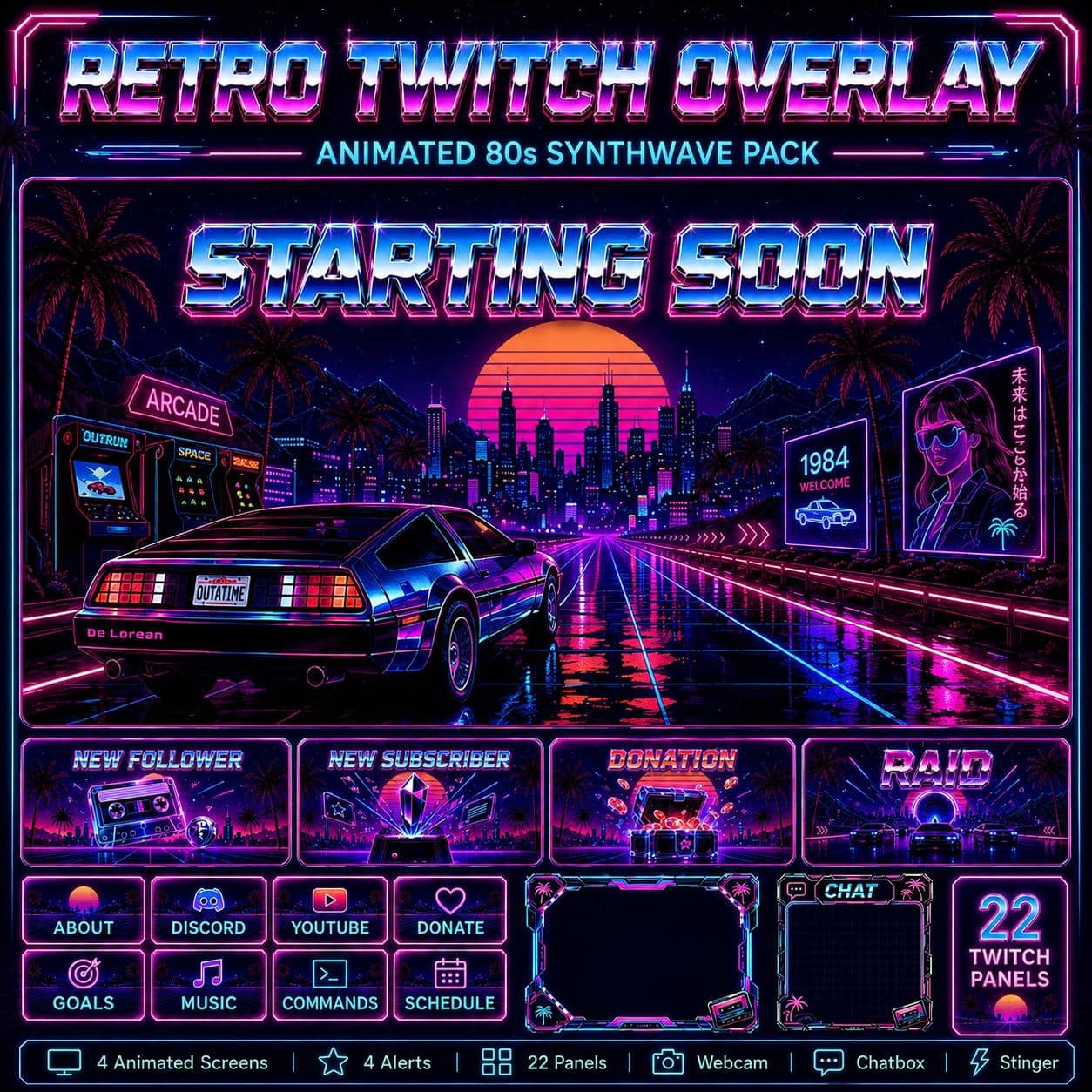
  • 4 Animated Stream Screens
  • Starting Soon, Be Right Back, Stream Ending, Offline
  • 4 Animated Alerts
  • Follower, Subscriber, Donation, Raid
  • 22 Matching Stream Panels
  • Designed to keep your stream branding consistent
  • Neon Webcam Frame
  • 💬 Animated / static Just Chatting overlay with alpha transparency - ready for OBS
  • 🖼️ Twitch Banner (JPG)
  • 🖼️ YouTube Banner (JPG)
  • 🎮 Gameplay Overlay

OBS / Streamlabs / StreamElements · Original audio · No copyrighted content · Instant download

The details

Description

Neon sunsets, outrun highways and 80s arcade nostalgia - this vaporwave overlay gives retro-loving streamers a warm, glowing identity. Every element shares the same synthwave aesthetic for a cohesive, nostalgic channel look.

What's included:

  • 4 animated screens - Starting Soon, Be Right Back, Stream Ending, Offline.
  • Animated alerts for Follower, Subscriber, Donation and Raid.
  • Matching Twitch panels for a clean channel page.
  • A retro webcam frame, a chat overlay and a stinger transition.
  • A PDF install guide for OBS, Streamlabs, StreamElements, Kick and YouTube.

Perfect for:

This 80s-synthwave look is made for retro and chill channels. It's a perfect fit for Cyberpunk 2077, Far Cry 3: Blood Dragon, Hotline Miami, Retrowave racing games, Vampire Survivors and arcade/retro streamers, plus lofi night sessions and IRL creators. If you love neon, nostalgia and vaporwave vibes, this pack matches it.

Why it works:

A cohesive synthwave theme gives your channel a warm, distinctive personality that stands out from cold, generic overlays - and that vibe is what makes viewers stick around. Matching retro branding also reads beautifully in clips and thumbnails.

New to overlays? Grab a free pack first.

Good to know

Frequently asked questions

Does this overlay work with OBS, Streamlabs and StreamElements?+

Yes. Every NeonStreamLab pack works with OBS Studio, Streamlabs and StreamElements. The animated screens are standard MP4/PNG files and the alerts work as browser sources, so they drop straight into your software with no plugins required.

How do I install the overlay?+

It takes about five minutes. Unzip the pack, then in OBS add each screen as a Media Source (or Image), position your webcam frame, upload the panel images to your channel, and set up the alerts in Streamlabs or StreamElements. A step-by-step PDF guide is included with every pack.

Can I use this overlay on Twitch, YouTube and Kick?+

Yes. The pack is fully compatible with Twitch, YouTube Live and Kick, as well as Facebook Gaming. The same files work across every platform.

Is the audio copyright-free? Will I get a DMCA strike?+

All audio is original and copyright-free, so you won't get DMCA strikes or muted VODs from using the alert sounds. No third-party music or copyrighted content is included.

How do I receive the files after purchase?+

Delivery is instant and digital. Right after checkout you get a secure download link by email and in your account - no waiting and no shipping.

Can I get a refund?+

Because the products are digital and delivered instantly, all sales are final. If a file is corrupted or a download genuinely fails, contact us within 14 days and we'll fix it or, at our discretion, issue a refund.

You might also like

Related packs