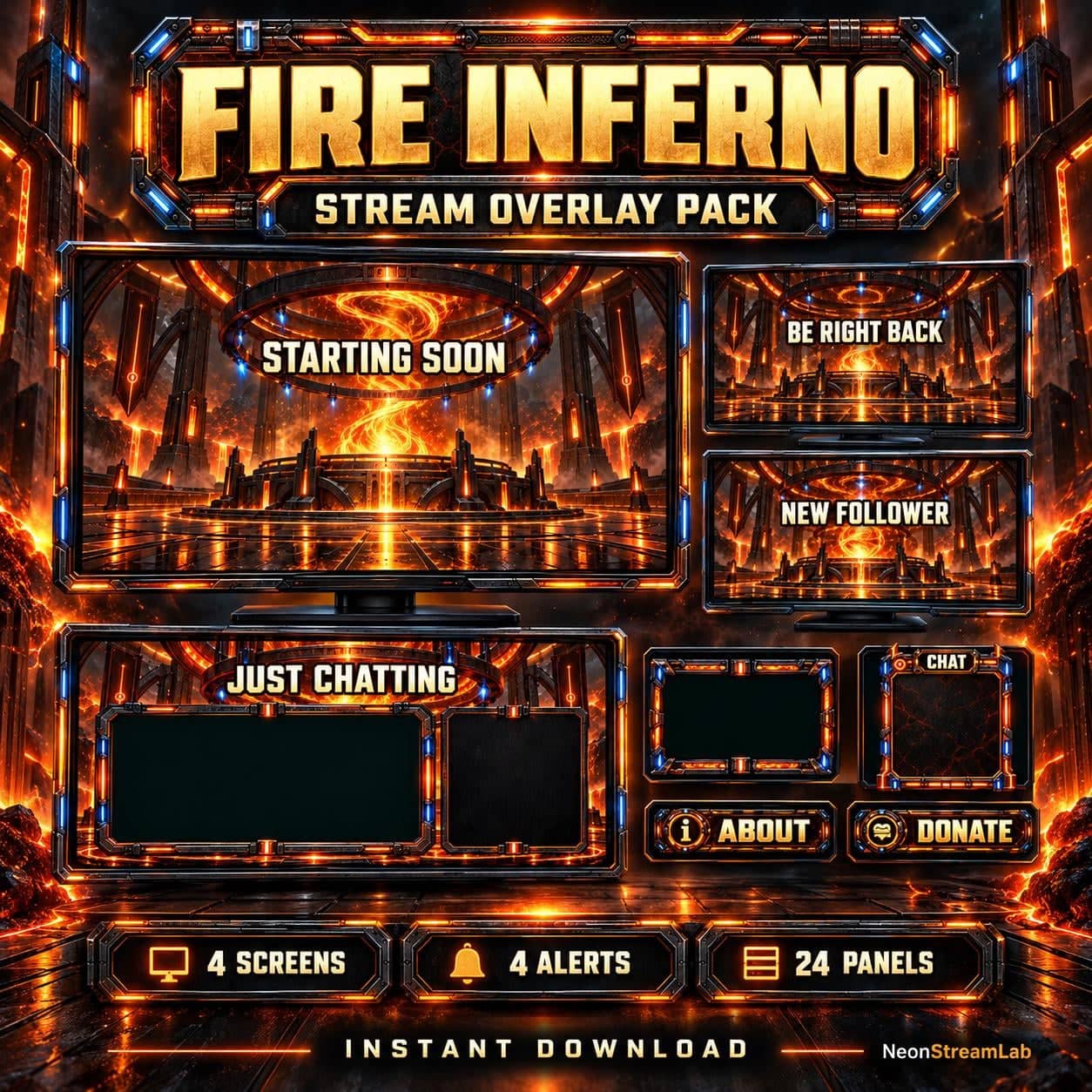
Monumental reactor rings, volcanic glass, ember vortexes and orange-blue flame ribbons give Fire Inferno an elemental sanctuary setting. Blackened steel and contrasting fire colours connect the screens, alerts and channel artwork.
A theme for your channel
A coordinated fire theme for gaming, variety and Just Chatting scenes. The flames and reactor-style forms are prerendered artwork, not an audio-reactive effect or an interactive widget.
What is included
- 50 media files plus one PDF installation guide; static and animated versions counted separately
- 4 stream screens: Starting Soon, Be Right Back, Stream Ending and Offline — MP4 and matching static JPG
- 4 full-screen alerts: Follower, Subscriber, Donation and Raid — MP4 with sound and matching static JPG
- Animated WEBM and static PNG webcam frame
- Animated WEBM and static PNG Just Chatting layout
- 24 Twitch panel PNGs
- Gameplay overlay PNG and decorative chatbox PNG
- Stinger transition MP4 and JPG still reference
- Twitch and YouTube channel banners
Files and setup
Add local MP4/WEBM videos as Media Sources in OBS and PNG/JPG files as Image Sources. Loop the waiting screens and camera overlays; configure the stinger as a transition. The alert MP4s are full-screen videos, not transparent pop-ups. Set up event triggers, viewer names and messages separately in an alert service that supports the supplied format. The decorative chatbox does not retrieve live messages.
Use the transparent camera artwork above your camera source and add live chat as a separate widget. The static and animated files are alternate versions of the same designs. Read the OBS installation guide for the scene-building workflow.
Ready-made media and images are included, not editable design projects or a one-click OBS scene collection. Platform-specific alerts and channel features depend on the streaming platform and service you configure. No camera footage or example chat messages are supplied.