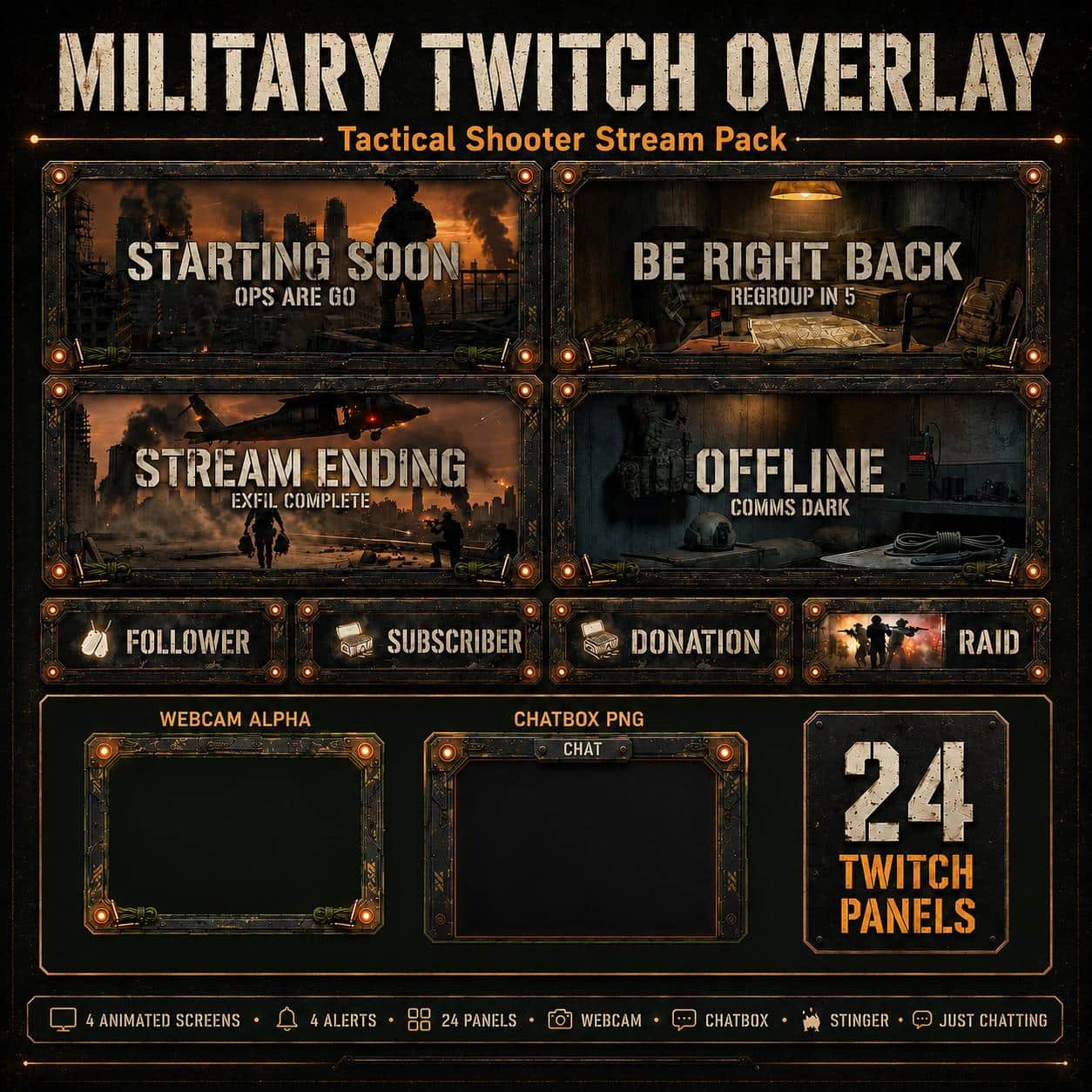
An orange battlefield skyline, a silhouetted operator and rugged metal detailing give your channel a tactical waiting scene. This free starter contains a small coordinated selection from the Tactical Military collection.
A free starter for your channel
Use the military aesthetic for tactical shooters, strategy or military-themed variety streams. The visuals are fictional stream graphics and do not include any game capture, game files or affiliation with a game publisher.
What you receive
The ZIP contains nine media files plus a two-page PDF guide: one animated Starting Soon MP4, its static JPG alternative, a static transparent webcam PNG, one static New Follower JPG and five 320 x 100 PNG channel panels. Static and animated versions are separate files of the same screen design.
Set it up in OBS
Extract the ZIP first. Add the Starting Soon video as a Media Source and enable Loop. Use Image Sources for the JPG and PNG files. Put the webcam frame above your camera and resize the camera to fit the transparent opening. Upload the panels through your Twitch channel panel editor and add your own links.
The follower artwork is a fixed image, not an animated alert or an automatic widget. Live event triggers, usernames and messages need separate configuration. No editable source project or one-click scene collection is included.
Build the complete matching setup
The complete Tactical Military collection adds the matching BRB, Stream Ending and Offline screens, animated alerts and more themed elements. The full product page lists its current contents.
Download this starter directly without an account or email sign-up. Keep the files in a permanent folder so OBS can find them. The included PDF and our OBS overlay installation guide explain the setup.