Finding stream overlays that look original and match your brand without blowing your budget is harder than it should be in 2026. Many marketplace templates feel generic or lock important features like audio and animation behind confusing license terms and unclear pricing. This short list of Streamspell.com alternatives focuses on pricing, DMCA-safe assets, and theme variety so streamers can make the right choice for their channel.
Table of Contents
NeonStreamLab
At a Glance
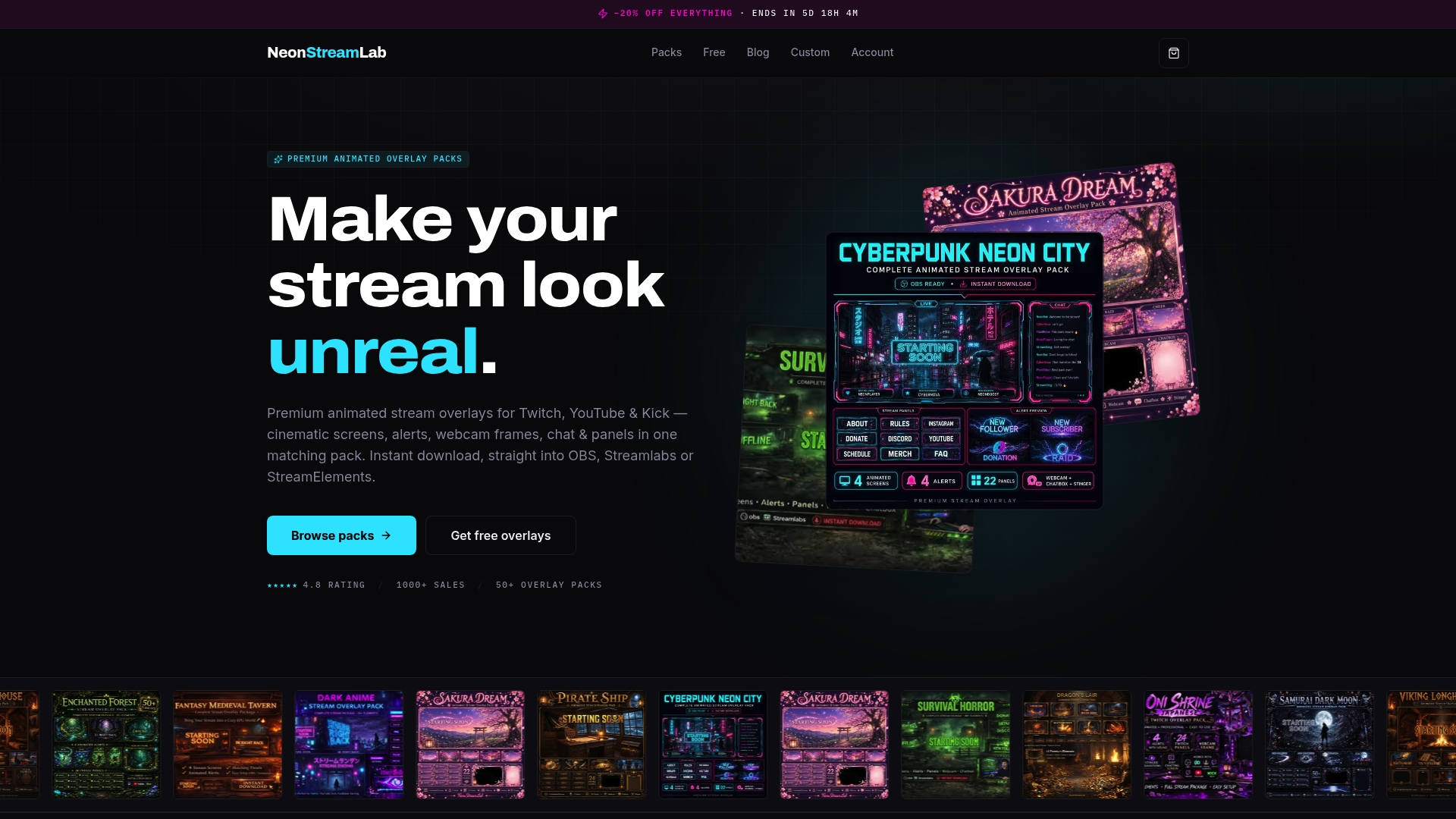
Most overlay packs range from €13 to €16.40, with free overlays also available. The vendor advertises a 4.8-star rating on Etsy. NeonStreamLab is a solo operation run by designer Mohamed Belgaila from Spain who sells handcrafted themed packs.
Core Features
NeonStreamLab delivers cohesive overlay sets that include screens, alerts, chat boxes, webcam frames, panels, transitions, and banners. Packs work with OBS Studio, Streamlabs, and StreamElements. They include original, copyright free audio and animations you can use without DMCA worry. A clear PDF guide speeds installation, so you can import assets and assign alerts in minutes.
Key Differentiator
Each overlay pack is handcrafted by a single designer to ensure cohesion and originality. That single-designer approach avoids the patchwork feel common with template marketplaces. The result is consistent color, animation timing, and asset style across every element in a pack.
Pros
NeonStreamLab reports over 1,000 satisfied customers, which suggests a steady buyer base for the shop. The designer produces detailed, handcrafted animations across many themes, from gothic and horror to cyberpunk and kawaii, giving streamers distinct visual identities. Instant digital download and PDF setup guides cut the time from purchase to live streaming, and original, copyright free audio removes common alert and music headaches.
Cons
- Premium price point may be a barrier for some beginner streamers
Who It's For
This marketplace fits streamers who want a ready made, themed look without hiring a designer. Novice streamers gain polished visuals with minimal design work. Experienced creators get a fast way to refresh channel aesthetics while keeping a consistent brand.
Unique Value Proposition
Original, copyright free animations and sounds that download instantly let you add animated alerts and music without worrying about DMCA strikes. That immediate usability reduces setup friction and shortens the time between purchase and your first branded stream. Paired with handcrafted visuals, the packs let you present a unified channel identity quickly.
Real World Use Case
A new Twitch streamer buys a gothic overlay pack, downloads the files, and follows the PDF to add animated scenes and alerts in OBS. The channel looks cohesive on the first stream. Viewers notice the professional look and the streamer avoids audio copyright issues.
Pricing
Most full overlay packs list between €13 and €16.40, with periodic discounts. Free overlays are available for trial use. All purchases are digital, so there is no shipping or added cost.
Website: https://neonstreamlab.com
STREAM.tv
At a Glance
STREAM.tv lists partnerships with Streamlabs, StreamElements, Logitech, and Ubisoft. That partnership network stands out for a marketplace focused on streaming engagement products and services. The platform operates from Austria and targets gaming, esports, and professional streamers across multiple regions. The offering mixes product listings and service bundles for live broadcasts.
Core Features
STREAM.tv combines overlay customization, an alerts and notifications system, chat moderation and chatbot tools, and donation integrations into a single marketplace of streaming resources. The site also highlights access to copyright free music and partner-enabled setups that connect with familiar streaming tools. Listings appear aimed at sellers who supply assets, service bundles, or integrations for professional broadcast setups.
Key Differentiator
The platform's chief distinction is its ecosystem approach that links overlays, monetization, moderation, and partner integrations for professional creators and esports teams. That combined marketplace model lets creators source multiple parts of a broadcast stack in one place. The focus leans toward polished, partner-backed solutions rather than entry level DIY assets.
Pros
STREAM.tv offers an extensive selection of live streaming tools so creators can assemble a cohesive broadcast package. Strong collaborations with known brands provide ready paths to Streamlabs and StreamElements workflows. The marketplace presents professional design options and user friendly interfaces intended for broadcasters who want a more polished on-screen presence. Finally, the platform advertises dedicated support channels for buyers and integrators.
Cons
Primarily focused on the professional streaming community, which may be complex for beginners and casual creators.
Located predominantly in Europe, which could lead to slower regional support for streamers outside that area.
Pricing information is not explicitly specified, so cost comparisons require extra research before committing.
When It May Not Fit
This marketplace may not fit hobby streamers who want free or ultra simple overlays. Smaller creators who prioritize transparent, entry level pricing will need to dig for cost details. Teams that require local support outside Europe may find response times vary. Creators who prefer minimal, single-file assets may find the partner-focused bundles heavier than needed.
Who It's For
STREAM.tv fits professional and semi professional streamers, esports organizations, and gaming brands that want partner-backed tools for polished live shows. Creators who plan sponsorships or integrated donation setups will find the marketplace useful. The platform suits people ready to adopt multiple linked services rather than pick single lightweight assets.
Real World Use Case
A pro streamer uses the marketplace to buy a partner overlay package, connects alerts to Streamlabs, and adds a chatbot for chat moderation. Donations route through the platform and sponsor assets link to a campaign during the stream. The result is a consistent broadcast look and simplified partner integrations for live events.
Pricing
Pricing details are not explicitly specified. The site indicates some offerings appear as subscriptions or one time purchases depending on the listing. Buyers should expect a mix of pricing models and verify costs on each product page before purchase.
Website: https://stream.tv
kudos.tv
At a Glance
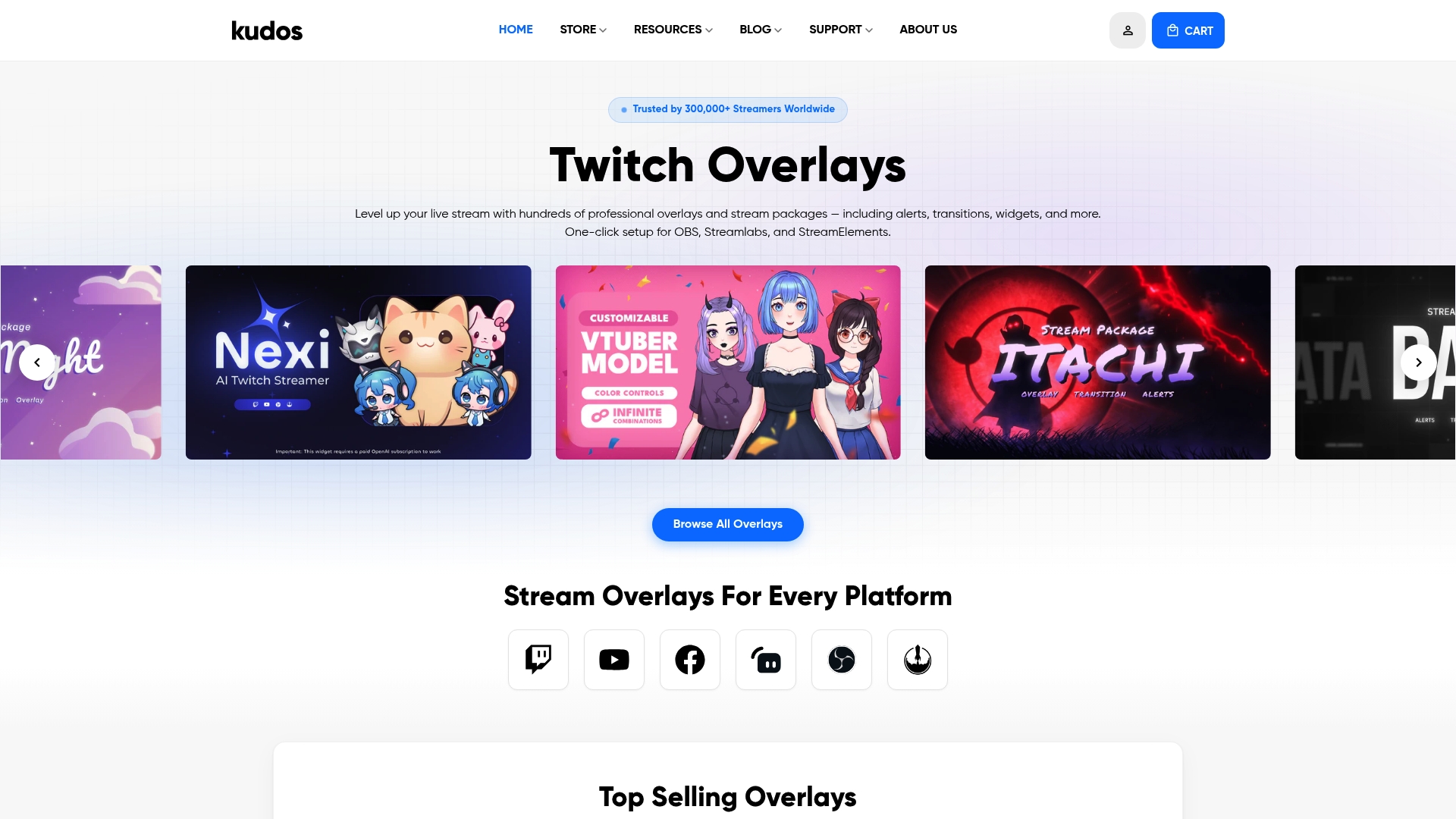
kudos.tv reports a community of over 300,000 streamers. The marketplace centers on ready-made overlays, alerts, transitions, webcam borders, and widgets that work with Twitch, YouTube, and Facebook Gaming. New and experienced streamers can grab free packs or paid overlays and follow tutorials to get on air quickly. Browse the free catalog first to test a pack on your setup.
Core Features
The site hosts a wide selection of professionally designed stream overlays, alerts, and widgets, grouped by theme and format. It offers one-click installation for OBS Studio, Streamlabs, and StreamElements, plus matching tutorial guides for setup and branding. You will find both free and premium assets and clear platform compatibility labels so you can install and test assets the same day. Try a free pack to confirm layout and color matches before buying.
Key Differentiator
kudos.tv pairs a broad catalog with hands-on learning content, which helps streamers who prefer ready-to-use packs over bespoke design work. The focus sits on practical playbooks and install-ready files rather than custom commissions. That makes it a good fit when you want fast polish without hiring a designer. If you want highly niche animated cinematic overlays, expect to look elsewhere for bespoke work.
Pros
The marketplace aggregates many high-quality, customizable assets so you can assemble a consistent channel look from one source. Compatibility with OBS Studio, Streamlabs, and StreamElements reduces fiddling and saves setup time. The mix of free items and affordable premium packs makes it easy to upgrade visuals incrementally. The site also includes tutorials and resources that guide layout choices and alert configuration, and the user count above gives a large community for shared tips and examples.
Cons
- Custom design options are limited, with bespoke work focused on larger clients rather than individual streamers.
- Digital products are non-refundable after purchase or download, which raises risk for trial-and-error buyers.
- The offering is mostly digital; there are no physical products or hands-on design services available.
When It May Not Fit
If you need a fully personalized branding package, kudos.tv may not meet that requirement. Teams or streamers seeking bespoke art direction and one-off animated sequences will find limited options here. If you prefer refundable trials or white-glove custom design, look to agencies or designers that offer those services.
Who It's For
You should use kudos.tv if you want affordable, ready-to-install visual assets and practical setup guidance. It fits streamers who prefer assembling polished streams from packs rather than commissioning custom work. New streamers who want to get on air fast will benefit from the one-click installs and tutorial guides.
Real World Use Case
A new Twitch streamer downloads a free overlay pack, installs it via the one-click option, and applies color edits from the tutorial. They add matching alerts and a webcam border, enable widgets for follower and donation notices, and go live with a consistent on-screen look. The setup reduces technical friction and frees time to focus on content.
Pricing
kudos.tv offers free assets alongside optional premium packs. Premium overlays and alerts typically range from $6 to $39, with some assets free to download and test. You can mix free and paid items to upgrade your branding progressively.
Website: https://kudos.tv
Comparison of alternatives
NeonStreamLab stands out for its unique approach to cohesive and handcrafted overlay sets, delivering polished results with a focus on originality. While other platforms like STREAM.tv and kudos.tv offer broader ranges of services or free packs, they diverge in design uniformity and tailored craftsmanship.
Ecosystem and Integration
STREAM.tv differentiates itself with a marketplace optimized for professional streaming organizations and esports teams. It uniquely integrates overlay customization, chat moderation, and donation capabilities within a partner-driven system. This bundled approach suits creators seeking interconnected platforms for streamlined live events but may overwhelm casual streamers with its complexity and regional support exclusivities.
Accessibility and Community
kudos.tv provides value for streamers prioritizing accessibility. Its one-click installation for ready-made overlays and free trials is appealing for beginners testing branding approaches. However, for users needing custom artwork or refundable options, kudos.tv's offerings are limited. Its non-refundable asset downloads serve as a drawback for commitment-hesitant streamers.
Best Fit
- Streamers desiring immediate setup and cohesive aesthetics for themed overlays benefit from NeonStreamLab's handcrafted packs.
- Professional broadcasting teams needing integrated solutions for esports events or regional sponsorships find STREAM.tv advantageous.
- Casual creators seeking accessible, affordable options can explore kudos.tv's offerings, starting with free resources to refine setups.
Our pick
NeonStreamLab excels for streamers valuing cohesive aesthetics and usability. Its commitment to handcrafted designs ensures a polished experience for creators prioritizing originality without labor-intensive customization processes. However, streamers requiring platform integration and multiple functionalities may find STREAM.tv more suitable for their needs.
Streamers looking for visually cohesive and theme-specific overlay packs will find the following options cater to diverse needs and preferences:
| Product |
Key Features |
Differentiator |
Best For |
Pricing |
Limitation |
| Neonstreamlab |
Complete overlay sets with animations, soundtracks, and setup guides |
Handcrafted single-designer packs for cohesion |
Those seeking polished themes |
€13 to €16.40 with free options |
Premium pricing may deter beginners |
| STREAM.tv |
Combined tools for overlays, chat, donations, and professional integrations |
Ecosystem approach for professional-level setups |
Esports teams and pro streamers |
Price not published |
Complex for beginners and sparse pricing details |
| kudos.tv |
Ready-made overlays, alerts, widgets, and tutorials |
Extensive free options with playbook-style setup help |
New and budget-conscious streamers |
$6 to $39 with free options |
No bespoke premium animation commissions available |
What Makes Neonstreamlab a Strong Choice Among Streamspell.com Alternatives?
Struggling with overlays that look patchy or unprofessional can hold back your stream’s visual identity. Neonstreamlab solves this by offering handcrafted themed packs with original, copyright free animations and audio. That means you get a tight, cohesive look without worrying about DMCA strikes or messy installation.
Bold visuals in niche styles like fantasy and cyberpunk help you stand out quickly. Plus, with easy setup guides and instant downloads, you avoid long delays between purchase and your first polished live show. Check out our full range of overlay packs or try some free screen makers to see how Neonstreamlab fits your brand needs. Ready to make your channel look pro from your very next stream? Visit Neonstreamlab and get started now.
FAQ
What are the pricing tiers for Neonstreamlab's overlay packs?
Neonstreamlab's overlay packs typically range from €13 to €16.40. These prices reflect the handcrafted quality of the assets designed by a single creator, which gives streamers a cohesive look without the patchwork feel often found in template marketplaces.
How does Neonstreamlab compare in terms of uniqueness with kudos.tv?
Kudos.tv offers a large selection of ready-made overlays and tutorials, making it great for streamers in need of quick setups. Neonstreamlab, however, focuses on handcrafted overlay packs, providing consistent color and style across all assets, ensuring a unique branding identity.
What types of assets does Neonstreamlab include in its packs?
Neonstreamlab's packs include screens, alerts, chat boxes, webcam frames, panels, transitions, and banners. This comprehensive set of assets allows streamers to create a unified appearance across their streaming channels.
Can I find free overlays through Neonstreamlab?
Yes, Neonstreamlab offers free overlays that you can try. Accessing these free packs allows streamers to test the quality and consistency before making a purchase.
What makes Neonstreamlab a good choice for novice streamers?
Neonstreamlab is ideal for novice streamers because they can achieve a polished, professional look with minimal design work. The clear PDF guide provided with each pack allows quick installation of assets, which enables new streamers to get started and go live with ease.
Recommended
Get matching overlays from NeonStreamLab
At NeonStreamLab we design premium animated overlay packs that already put these principles into practice - balanced colour, clean hierarchy and a cohesive look across screens, alerts, webcam frames and panels. Browse Cyberpunk overlays, Fantasy & RPG overlays, Horror & Gothic overlays to find a theme that fits your channel, like our Cyberpunk pack.
Every pack works with OBS, Streamlabs and StreamElements, uses original copyright-free audio, and downloads instantly. Want to try before you buy? Try our free screen makers and see how a matching look feels on your stream.