20% off everything
Dark Academia Stream Overlay Pack | Animated Gothic Library Vtuber Twitch Screens Alerts Panels Webcam
Horror / Gothic

Dark Academia Stream Overlay Pack | Animated Gothic Library Vtuber Twitch Screens Alerts Panels Webcam

$13.59$16.9920%Tax included

What's inside

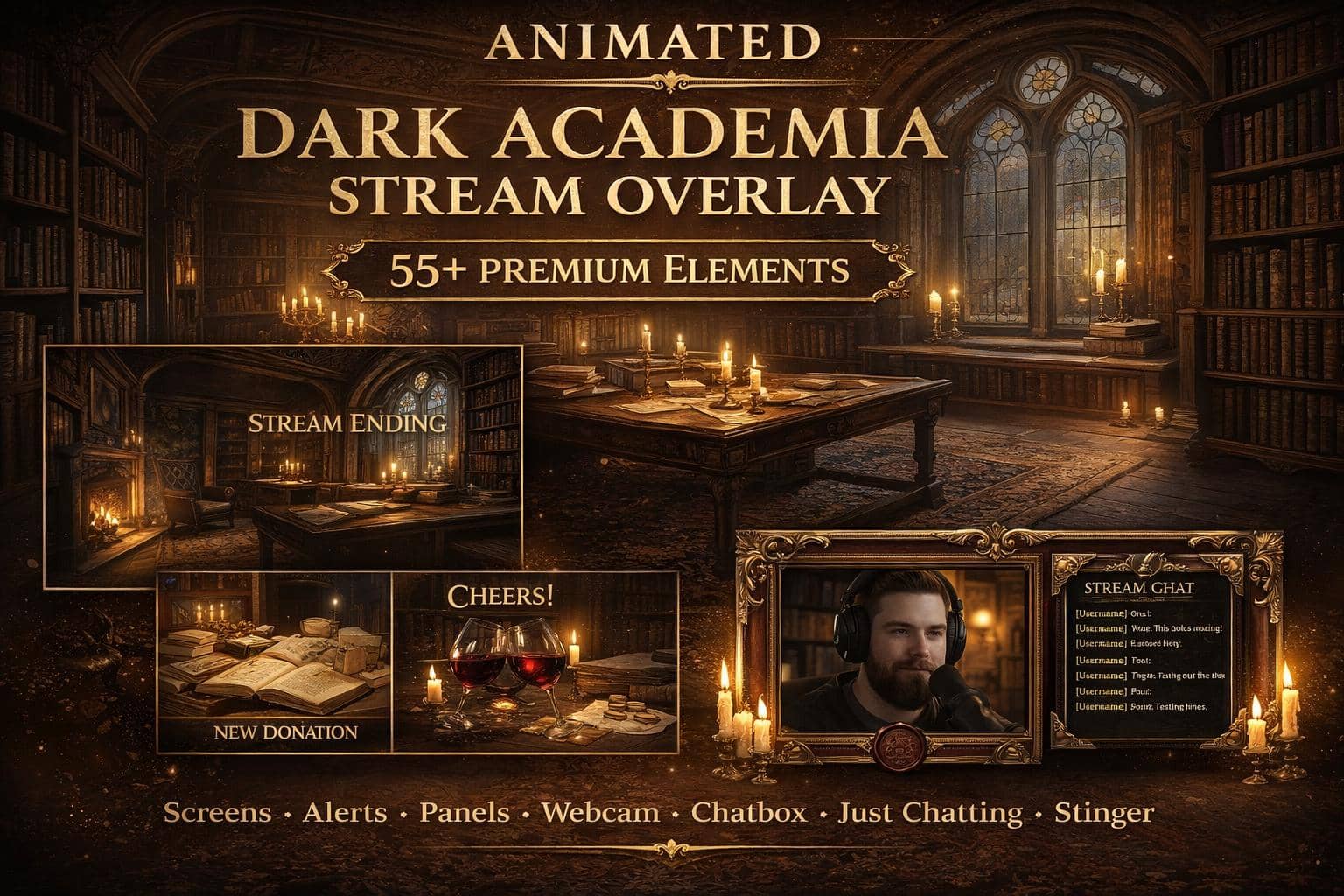
  • 4 animated screens (Starting Soon, BRB, Ending, Offline)
  • 6 animated alerts (follower, sub, donation, raid, cheers, tips)
  • Animated webcam frame WEBM alpha + PNG fallback
  • Carved-frame chatbox + Just Chatting scene (PNG + WEBM)
  • 22 Twitch panels (320x100 PNG)
  • Stinger transition with audio + PDF guide

OBS / Streamlabs / StreamElements · Original audio · No copyrighted content · Instant download

The details

Description

Stream from a candlelit library. The dark academia overlay pack binds your channel in rich mahogany shelves, gold-leaf details and vintage scholarly atmosphere — moody, elegant and quietly luxurious.

What you get

Four animated screens, six animated alerts (including cheers and tips), an animated webcam frame with WEBM alpha, a carved-frame chatbox, a Just Chatting scene in static and animated versions, a stinger transition with audio, 22 matching panels and a PDF installation guide for OBS, Streamlabs and StreamElements.

Perfect for

Made for thoughtful streams: study-with-me and reading channels, writing sprints, cozy-goth VTubers, and story-rich sessions of Baldur's Gate 3, Hogwarts Legacy or Disco Elysium. If your ideal stream smells like old books and rain, you've found your library.

Why it works

Dark academia is a massive aesthetic on Pinterest and TikTok but nearly absent from stream design — early movers own the look. The deep browns and golds also flatter webcams beautifully, warmer than the usual neon-on-black.

Test a matching set with a free pack first — the library will wait.

Good to know

Frequently asked questions

Does this overlay work with OBS, Streamlabs and StreamElements?+

Yes. Every NeonStreamLab pack works with OBS Studio, Streamlabs and StreamElements. The animated screens are standard MP4/PNG files and the alerts work as browser sources, so they drop straight into your software with no plugins required.

How do I install the overlay?+

It takes about five minutes. Unzip the pack, then in OBS add each screen as a Media Source (or Image), position your webcam frame, upload the panel images to your channel, and set up the alerts in Streamlabs or StreamElements. A step-by-step PDF guide is included with every pack.

Can I use this overlay on Twitch, YouTube and Kick?+

Yes. The pack is fully compatible with Twitch, YouTube Live and Kick, as well as Facebook Gaming. The same files work across every platform.

Is the audio copyright-free? Will I get a DMCA strike?+

All audio is original and copyright-free, so you won't get DMCA strikes or muted VODs from using the alert sounds. No third-party music or copyrighted content is included.

How do I receive the files after purchase?+

Delivery is instant and digital. Right after checkout you get a secure download link by email and in your account — no waiting and no shipping.

Can I get a refund?+

Because the products are digital and delivered instantly, all sales are final. If a file is corrupted or a download genuinely fails, contact us within 14 days and we'll fix it or, at our discretion, issue a refund.

You might also like

Related packs