A Twitch stream category is the primary label a streamer selects to classify their content, telling both viewers and Twitch's algorithm exactly what kind of stream to expect. Every time you go live, that category determines where your stream appears in browse pages, search results, and recommendation feeds. With 35 million daily active users on Twitch, picking the right category is one of the most direct levers you have for getting discovered. Get it wrong, and even great content stays invisible. Get it right, and you tap into an audience already looking for exactly what you stream.
What is a Twitch stream category and how does it work?
A Twitch stream category is the official classification system Twitch uses to organize all live content on the platform. When you set a category before going live, your stream gets placed inside that category's browse page. Viewers searching for that game, activity, or topic will find you there. Categories also feed directly into Twitch's recommendation engine, which surfaces streams to logged-in users based on their watch history.
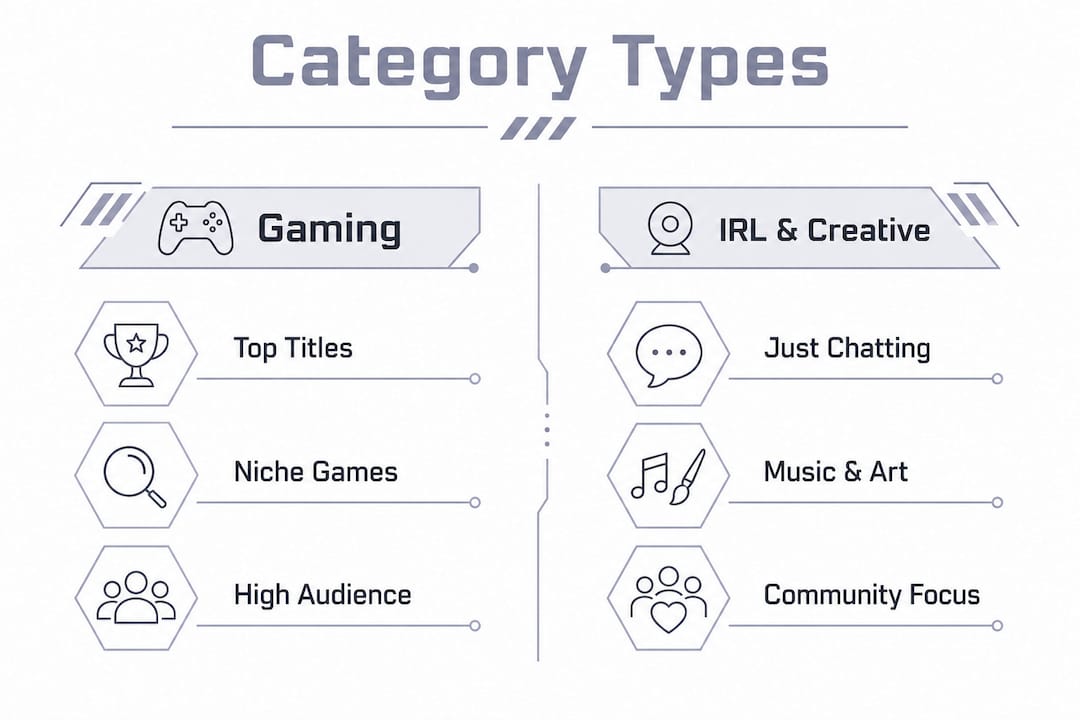
Twitch organizes categories into a few broad groups. Gaming categories cover individual titles like Fortnite, Valorant, or Elden Ring. IRL categories include Just Chatting, Travel & Outdoors, and Food & Drink. Creative categories cover Art, Music, and Makers & Crafting. Then there are special categories like Pools, Hot Tubs & Beaches, and esports event categories for organized competitions.

The Just Chatting category stands alone as the most dominant on Twitch, pulling approximately 1.49 billion watch hours and 301,000 average concurrent viewers in early 2026. That number shows just how far Twitch has moved beyond pure gaming. Non-gaming content now drives a massive share of total platform engagement.
What are the main types of Twitch stream categories?
The table below breaks down the major category groups, their typical audience size, and how easy they are to break into as a smaller streamer.
| Category type | Examples | Audience size | Discoverability for new streamers |
|---|---|---|---|
| Top gaming titles | Fortnite, Valorant, GTA V | Very large | Low (high competition) |
| Mid-tier gaming | Indie games, older titles | Moderate | High |
| Just Chatting / IRL | Just Chatting, Travel | Very large | Moderate |
| Creative | Art, Music, Crafting | Moderate | High |
| Esports events | Tournament streams | Large but seasonal | Low (dominated by orgs) |
Gaming categories split into two very different worlds. Top titles like Grand Theft Auto V and Minecraft attract enormous viewer counts, but they also have hundreds of active streamers at any given moment. Mid-tier and indie game categories carry far fewer streamers, which means your stream sits higher in the browse list by default.
IRL and Creative categories have shifted into primary retention engines on the platform. These categories favor community building and long-term viewer loyalty over one-time clicks. A streamer doing a cooking show or a live art session often builds a tighter, more engaged audience than someone grinding a popular shooter with 500 other streamers.
Niche subcategories exist inside broader groups too. Within Creative, you can stream under Music specifically, or narrow further into a genre-focused tag. Within gaming, you can stream a specific game mode or a lesser-known title in the same genre as a popular one. These pockets of specificity are where smaller streamers find the most breathing room.
How does choosing the right Twitch category impact your growth?
The single most useful metric for evaluating a category is the viewer-to-streamer ratio. A high viewer-to-streamer ratio means more viewers are watching fewer streamers, which dramatically improves your odds of being discovered. A ratio of 50:1 gives you far better discovery odds than a ratio of 10:1, even if the 10:1 category has more total viewers.
Saturated top categories reduce discovery chances for smaller creators because the browse page fills up fast with established names. New streamers who chase the most popular categories often find themselves buried on page 10 of a browse list, where almost no organic traffic reaches. The math simply does not work in your favor there.
Mid-tier and niche categories tell a different story. Streamers who pick categories ranked 20-50 in popularity, or who stream in creative segments, reach Twitch Affiliate status up to 3 times faster than those competing in top categories. That is a concrete, data-backed reason to think carefully before defaulting to whatever game is trending.
Before you pick a category, run through this checklist:
- Viewer-to-streamer ratio. Check how many viewers the category has versus how many live streams are active right now.
- Browse page depth. Count how many pages of streams exist. If you land on page 5 or beyond, reconsider.
- Your content fit. Does the category genuinely match what you are streaming? Mismatched categories hurt retention.
- Growth trajectory. Is the category growing, stable, or declining? Tools like TwitchTracker and Streams Charts show historical trends.
- Affiliate path. How many average viewers does the category's typical small streamer get? That tells you what is realistic.
Pro Tip: Use TwitchTracker to check a category's viewer-to-streamer ratio before going live. Sort by "viewers per channel" to find categories where your stream will actually get seen.
You can also check high-retention stream examples to see how category timing and selection play out in practice for streamers at different growth stages.
How do Twitch categories and tags work together?
Categories set the broad scope of your stream. Tags refine it. Twitch allows up to 10 tags per stream, and those tags act as secondary filters inside the category browse page. Together, categories and tags guide Twitch's recommendation algorithm toward the right viewers.
Think of it this way: your category tells Twitch you are streaming a fantasy RPG. Your tags tell it you are playing a solo run, speaking English, and that your stream is beginner-friendly. That combination targets a very specific viewer who is far more likely to stick around than a random passerby.
Here is a practical process for pairing categories with tags effectively:
- Pick your category first. Confirm the category matches your actual content. Do not pick a game you are not playing just because it has more viewers.
- Add language and region tags. These are basic but powerful. English-speaking viewers filter by language constantly.
- Add content descriptor tags. Tags like "Chill," "Story-Driven," or "Competitive" tell viewers what the experience feels like, not just what game it is.
- Add community or identity tags. Tags like "LGBTQ+ Friendly," "Family Friendly," or "Variety Streamer" attract viewers who prioritize community fit.
- Test and rotate. Swap one or two tags each stream to see which combinations drive the most new follows.
Varying your category and tag combinations across streams broadens your audience exposure and taps into different viewer segments over time. Sticking with the exact same setup every stream limits your reach to the same pool of potential viewers.
Pro Tip: Change your category mid-stream when you switch activities. If you move from playing a game to chatting with your audience, switch to Just Chatting. Twitch's algorithm tracks category time, and staying accurate keeps your recommendations relevant.