A cyberpunk themed stream overlay setup is the combination of animated, modular interface elements designed to wrap your stream in a futuristic, neon-lit visual identity that pulls viewers in from the first second. The industry term for this approach is themed HUD overlay design, and it covers everything from glitch-effect webcam frames to data-readout progress arcs. In 2026, overlay design is shifting from purely decorative graphics to functional UI elements that respond to gameplay and chat activity. Platforms like Twitch and YouTube reward visual consistency, and a well-built cyberpunk aesthetic gives your channel a look that viewers remember. Neonstreamlab builds exactly this kind of overlay, with animated packs ready for OBS, Streamlabs, and StreamElements.
What tools do you need for a cyberpunk overlay setup?
The right software is the foundation of any solid overlay build. OBS Studio, Streamlabs, and StreamElements are the three platforms that support every overlay format a cyberpunk setup requires. Each one handles animated WebM files, browser sources, and static image layers without extra plugins.
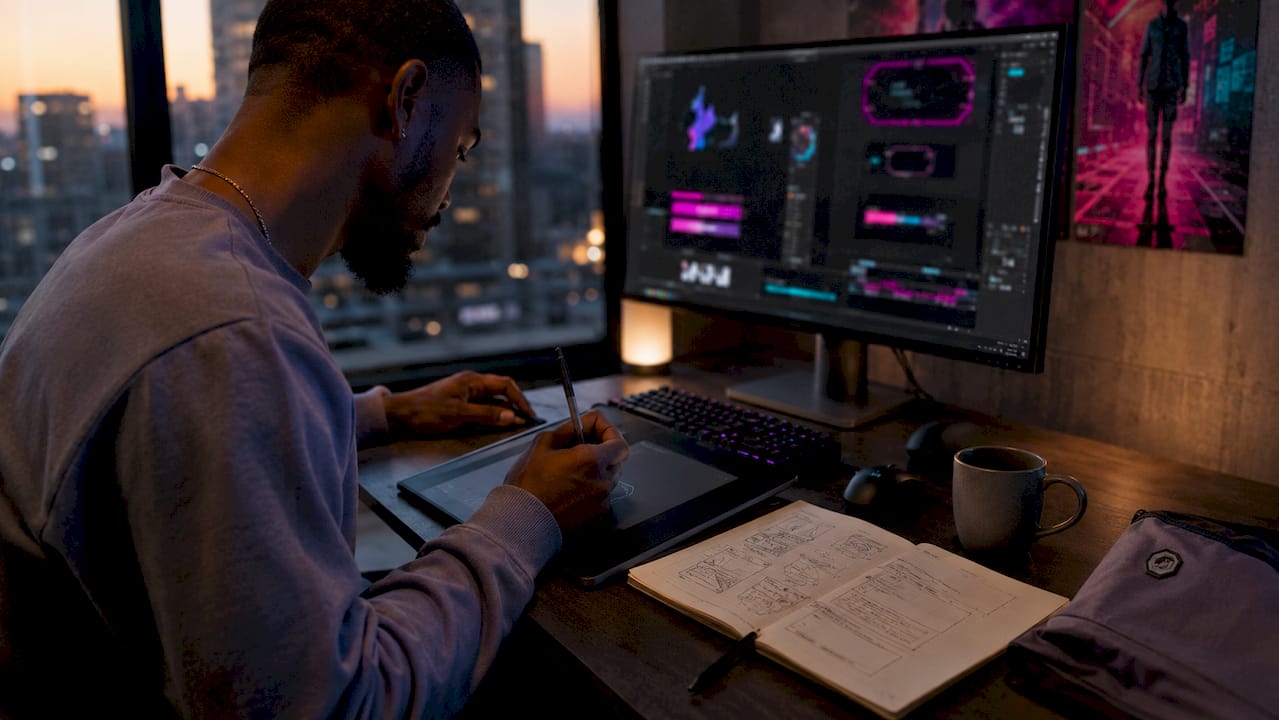
For design work, Adobe Photoshop handles static asset creation and color grading. Adobe After Effects is the standard for building animated HUD panels and glitch transitions. AI image generators have entered this workflow too, letting you produce sci-fi UI frames and data-readout graphics in minutes rather than hours.
The choice between building custom overlays and buying a modular pack comes down to time and skill. Custom builds give you full control but require design software proficiency and hours of iteration. Modular overlay packs give you a complete, pre-animated system that drops straight into OBS or Streamlabs with no design background needed.
Hardware matters too. Animated overlays run as media sources, so a mid-range CPU handles them fine. If you stack multiple animated WebM layers, a dedicated GPU prevents frame drops during gameplay.
| Software |
Best for |
Overlay format support |
| OBS Studio |
Full control, free |
WebM, PNG, browser source |
| Streamlabs |
Beginners, alerts built in |
WebM, PNG, browser source |
| StreamElements |
Browser-based, cloud saves |
Browser source, PNG |
Which design elements define a cyberpunk stream overlay?
Cyberpunk overlays are built on three visual pillars: neon color palettes, glitch effects, and futuristic HUD panels. The color palette typically runs neon blues, pinks, and purples against near-black backgrounds. That contrast keeps text readable while the colors signal the aesthetic immediately.
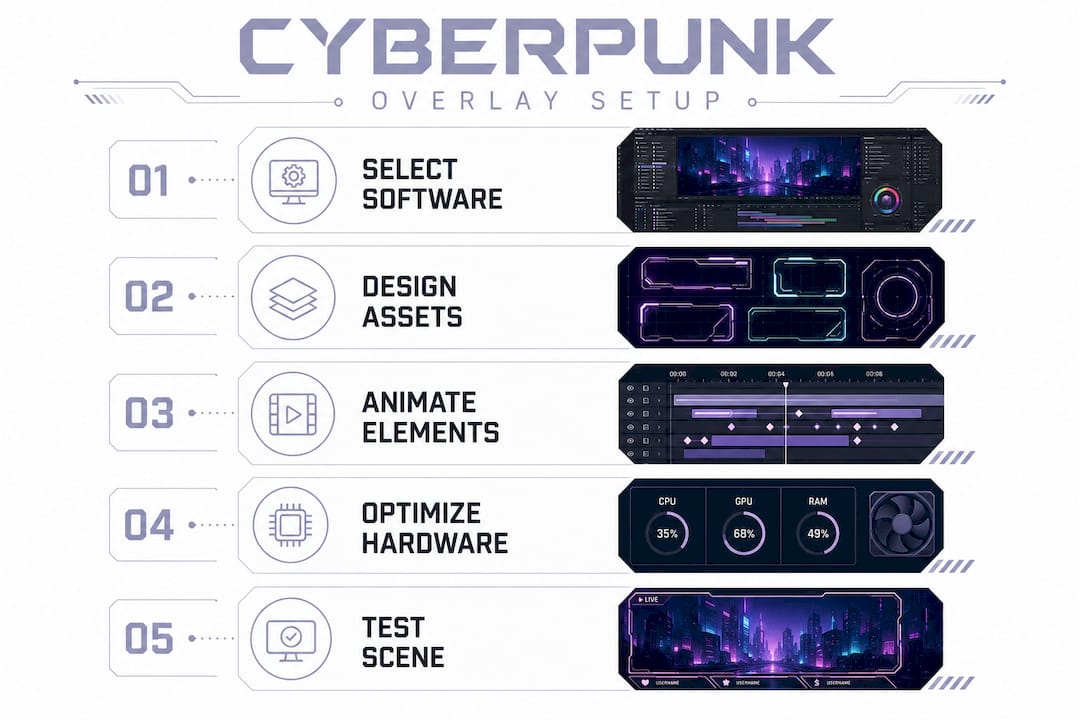
Glitch effects are the signature motion element. A glitch transition between scenes, or a glitch flicker on your webcam frame, tells viewers they are inside a digital world. Animated alerts that trigger on follows, subs, and donations extend this language into every viewer interaction.
The functional components are what separate a great cyberpunk overlay from a generic one. These include:
- Progress arcs that fill as you hit sub goals or donation milestones
- Data readout panels that display follower counts or chat stats in a terminal-style font
- Animated webcam frames with corner brackets and scanline effects
- Scene transition stingers that use glitch or static bursts between gameplay and BRB screens
- Chat box overlays styled as holographic displays with neon borders
Professional packs include animated alerts and scene transitions to keep the theme consistent across every viewer touchpoint. That consistency is what builds a recognizable visual brand.
Pro Tip: Keep animated elements to the screen edges. Anything that moves in the center of your frame competes with your gameplay. Reserve the middle 60% of your screen for content, and let the overlay live on the borders.
Color contrast is non-negotiable. Neon text on a dark background reads well. Neon text on a mid-gray background disappears. Run your overlay on a test stream and check it at 720p, since many viewers watch at lower resolutions than you stream at.
How do you set up a cyberpunk overlay in OBS, Streamlabs, or StreamElements?
The setup process is the same across all three platforms at its core. The key technical detail is file format: animated WebM files with alpha transparency play natively in OBS, Streamlabs, and StreamElements without chroma key removal. That means clean, smooth animation with no green fringe.
Follow these steps to get your overlay running:
- Download your overlay pack. Neonstreamlab packs include WebM animated files, PNG static assets, and a font file where applicable.
- Open your streaming software and create a new scene or open your existing gameplay scene.
- Add a Media Source for each animated WebM file. Check "Loop" so the animation runs continuously.
- Add an Image Source for any static PNG panels, such as info bars or border frames.
- Add a Browser Source if your pack includes an alert box or chat widget with a URL.
- Layer your sources correctly. Animated overlays sit above your game capture. Your webcam sits above the game but below the webcam frame overlay.
- Resize and position each element using the preview canvas. Lock sources once positioned to prevent accidental moves.
- Test with a dummy alert to confirm your alert animations fire correctly and match the cyberpunk theme.
Screen blend mode layering is a technique worth knowing. When an overlay asset has a black background instead of transparency, set its blend mode to Screen in OBS. Black becomes invisible, and the colored elements show through cleanly.
Pro Tip: Group related sources into a Scene Collection folder in OBS. Label each group: "Webcam Frame," "Alert Box," "Info Bar." This saves you from hunting through a long source list mid-stream.
| Step |
OBS |
Streamlabs |
StreamElements |
| Add animated file |
Media Source |
Media Source |
Widget or overlay URL |
| Enable transparency |
WebM alpha native |
WebM alpha native |
CSS or WebM |
| Alert setup |
Alert plugin or browser source |
Built-in alert box |
Built-in alert box |
| Blend mode |
Filters > Blend Mode |
Filters > Blend Mode |
Not applicable |
What advanced tips make your cyberpunk overlay more engaging?
A cyberpunk overlay becomes a real branding asset when it responds to what is happening on stream. The most effective overlays are modular and include data-driven elements like progress arcs and integrated readouts that align with your game theme. A sub goal bar that fills with a neon glow, or a follower counter styled as a terminal readout, turns passive decoration into an interactive stream feature.
Here are the techniques that separate functional overlays from decorative ones:
- Customize alert triggers. Change the default alert sound to something that fits cyberpunk lore. A digital glitch burst or a synthesizer sting works far better than a generic chime.
- Match your overlay to your game. A sci-fi overlay for space game streams pairs naturally with cyberpunk HUD panels. The visual language of the game and the overlay reinforce each other.
- Use modular elements selectively. Not every scene needs every overlay element. Your BRB screen can run a full animated background. Your gameplay scene should use lighter elements to keep frame rates stable.
- Connect chat widgets to your overlay theme. A chat box styled as a holographic terminal makes chat feel like part of the world you are building.
- Check accessibility. Neon colors can be hard to read for viewers with color vision differences. Use high contrast between text and background, and avoid placing critical information in low-contrast areas.
Balancing animation density is the single most common mistake streamers make. Too many moving elements pull attention away from gameplay and make the stream feel chaotic. Pick two or three animated elements per scene and keep the rest static.
Pro Tip: Run a 10-minute test recording with your full overlay active before going live. Watch it back on a phone screen. If the overlay feels busy at mobile size, simplify it. Most of your audience watches on smaller screens than you think.
Neonstreamlab packs include original copyright-free audio for alerts, so you never risk a DMCA strike from your own stream notifications. That detail matters more than most streamers realize until it is too late.
Key takeaways
A cyberpunk stream overlay works best when it combines modular animated elements, consistent neon color palettes, and functional HUD components that respond to stream activity.
| Point |
Details |
| Use WebM with alpha transparency |
This format plays natively in OBS, Streamlabs, and StreamElements without chroma key issues. |
| Keep animation to screen edges |
Reserve the center of your frame for gameplay and place overlay elements on the borders. |
| Match overlay to game theme |
Sci-fi and space game streams benefit from cyberpunk HUD panels that reinforce the visual world. |
| Limit animated elements per scene |
Two or three moving elements per scene keeps the stream focused and frame rates stable. |
| Use modular packs for speed |
Pre-built packs from Neonstreamlab install in one click and include alerts, transitions, and audio. |
My honest take on cyberpunk overlay design in 2026
I have watched overlay design change a lot over the past few years. The shift from static PNG borders to fully animated, data-responsive HUD systems is real, and it is accelerating. Streamers who treated overlays as wallpaper are now building them as interactive interfaces.
The part most guides skip is the tension between style and function. A cyberpunk overlay that looks incredible in a screenshot can be genuinely distracting during a tense gameplay moment. I have seen streamers lose viewers not because their content was bad, but because the overlay competed with it. The fix is simple: design for the worst-case scenario, which is a chaotic, fast-moving game with a lot happening on screen. If your overlay still reads clearly in that environment, it works.
The other thing I keep coming back to is consistency. A cyberpunk aesthetic is not just a color palette. It is a whole visual language that should run through your alerts, your panels, your offline screen, and your social media graphics. When every touchpoint matches, your channel feels like a real brand. When it is a patchwork of different styles, it feels amateur regardless of how good any single element looks.
For streamers starting out, I always recommend grabbing a free cyberpunk overlay first. Get it running in OBS, live with it for a few streams, and then decide what you want to change. That hands-on experience teaches you more about what you actually need than any amount of planning.
The communities around cyberpunk streaming are also worth finding. Discord servers focused on stream design share feedback fast, and seeing what other streamers build with the same tools is genuinely useful for developing your own eye.
Neonstreamlab's cyberpunk packs make setup fast and clean
Getting a full cyberpunk visual identity running on your stream does not have to take a weekend. Neonstreamlab's animated overlay packs are built specifically for Twitch, YouTube, and Kick, and they install in OBS, Streamlabs, and StreamElements in one click.
Every pack includes animated alerts, scene transitions, webcam frames, and info panels, all in a consistent cyberpunk style. The audio included with alerts is original and copyright-free, so your VODs stay safe. Files download instantly, and the futuristic cyberpunk pack covers every scene you need from gameplay to BRB to offline. If you want something built specifically for your channel, Neonstreamlab also takes custom overlay orders for streamers who want a fully unique look.
FAQ
What file format works best for cyberpunk stream overlays?
WebM with alpha transparency is the best format for animated overlays. It plays natively in OBS, Streamlabs, and StreamElements without requiring chroma key removal.
Can I use a cyberpunk overlay for a sci-fi or space game stream?
Yes. A sci-fi overlay for space game streams pairs naturally with cyberpunk HUD panels because both share futuristic visual language, including terminal fonts, data readouts, and neon color schemes.
How many animated elements should I use per scene?
Two or three animated elements per scene is the practical limit. More than that pulls viewer attention away from gameplay and can cause frame rate issues on mid-range hardware.
Do Neonstreamlab cyberpunk packs work with StreamElements?
Neonstreamlab packs are compatible with OBS, Streamlabs, and StreamElements. Animated WebM files load as media sources, and alert boxes connect via browser source URLs.
What is the difference between a modular overlay pack and a custom overlay?
A modular pack gives you a complete pre-built system you can use immediately. A custom overlay is designed from scratch to match your specific channel branding, color choices, and layout preferences.
Recommended
Get matching overlays from NeonStreamLab
At NeonStreamLab we design premium animated overlay packs that already put these principles into practice - balanced colour, clean hierarchy and a cohesive look across screens, alerts, webcam frames and panels. Browse Cyberpunk overlays, Neon overlays, Horror & Gothic overlays to find a theme that fits your channel, like our Cyberpunk pack.
Every pack works with OBS, Streamlabs and StreamElements, uses original copyright-free audio, and downloads instantly. Want to try before you buy? Try our free screen makers and see how a matching look feels on your stream.