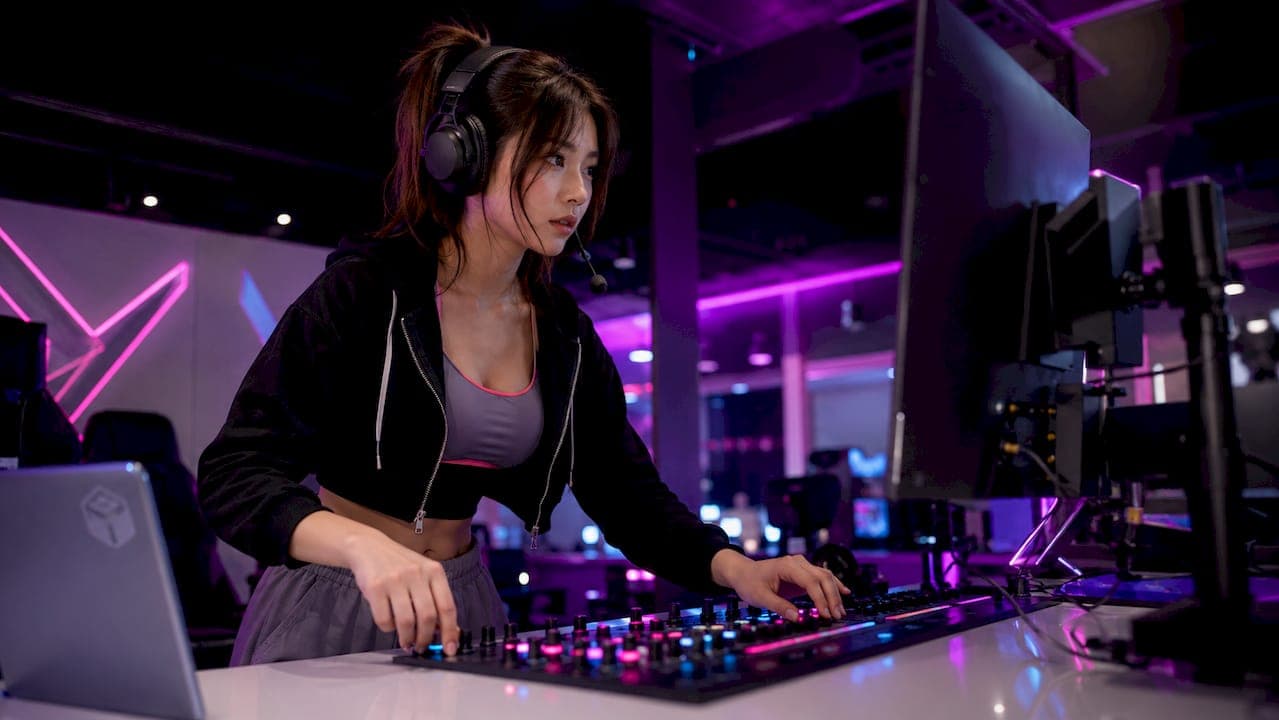
The cyberpunk stream aesthetic is defined as a neon-lit, glitch-heavy, dystopian-futuristic visual style that streamers use to build striking, high-energy channel branding. Rooted in the science fiction genre shaped by works like William Gibson's Neuromancer and Ridley Scott's Blade Runner, this aesthetic translates a specific cultural mood into live streaming visuals. If you want your channel to look instantly recognizable and visually intense, understanding what is cyberpunk stream aesthetic is the first step. The core idea is simple: high tech meets low life, and the tension between those two worlds creates something unforgettable on screen.
What is the cyberpunk stream aesthetic, exactly?
The cyberpunk stream aesthetic is built on one central contradiction: high tech and low life existing side by side. Think bright neon signs glowing above dark, rain-soaked alleys. Think holographic advertisements floating over crumbling concrete. That visual tension is not accidental. It reflects the genre's core theme: powerful technology controlled by corporations, while ordinary people live in the grit below.
For streamers, this translates into a specific visual language. Your overlays, alerts, webcam frames, and backgrounds all work together to communicate that same feeling of a future that is both dazzling and decayed. The cyberpunk art style gives your channel a mood that viewers feel immediately, even before you say a word. That emotional punch is exactly why so many creators are drawn to it.
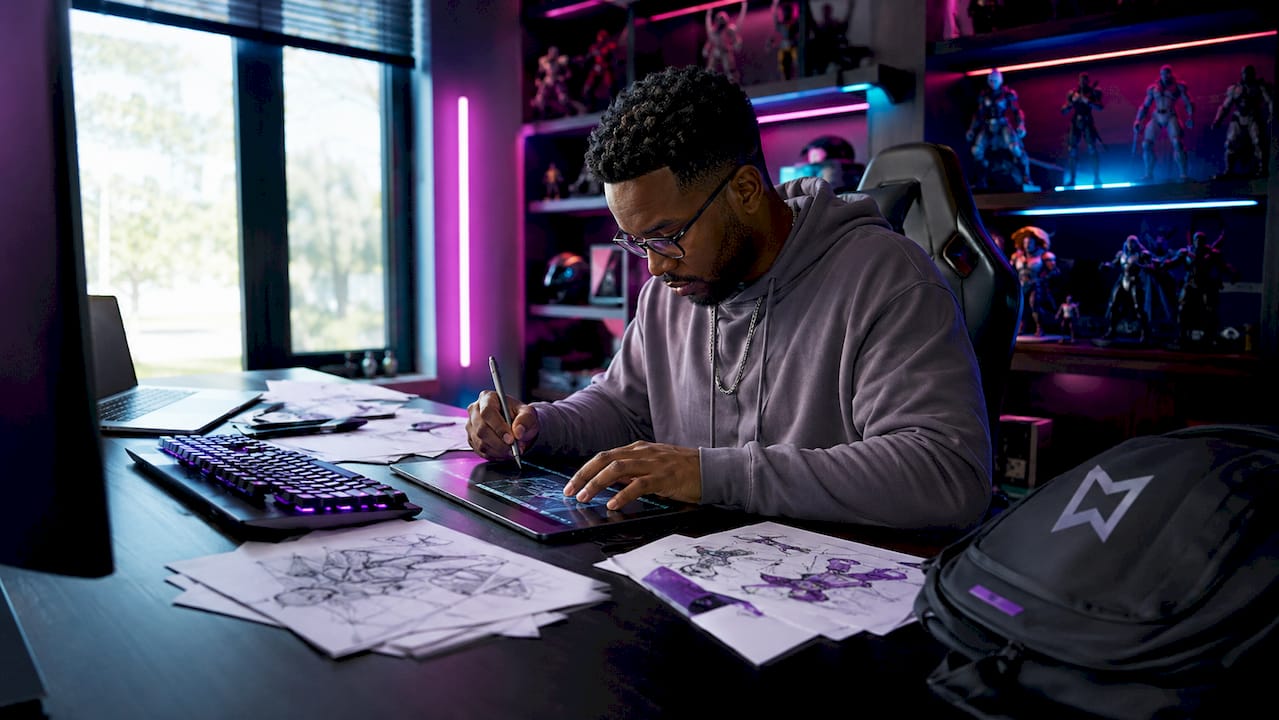
The genre's roots matter here. Neuromancer by William Gibson coined the term "cyberspace" and set the template for cyberpunk's gritty, corporate-dominated future. Blade Runner gave it a visual identity that designers still reference today. When you build a cyberpunk-themed stream, you are borrowing from a rich creative tradition with real cultural weight.
What are the key visual elements that define the cyberpunk stream aesthetic?
The cyberpunk art style is built from a specific set of visual components. Each one carries meaning, and together they create the signature look.
- Neon lighting and glow effects. Cyan and green are the dominant colors. They read as cold, electric, and digital. Purple and magenta appear as accents. The glow should feel like it is bleeding into the darkness around it, not sitting cleanly on top.
- Digital glitch effects. The neon glitch text effect combines warm analog neon tube glow with cold digital signal corruption. Specific glitch artifacts include RGB channel separation, scan line noise, and pixel drift. These effects suggest a world where technology is powerful but unstable.
- Urban dystopian imagery. Dark, rainy cityscapes with holographic ads and multicultural signage create the environmental backdrop that makes the aesthetic feel lived-in. This imagery works especially well for stream backgrounds and scene transitions.
- Typography choices. Geometric sans-serif fonts and monospaced "hacker" fonts are the standard. Apply neon glow or controlled glitch treatments to them. Avoid decorative or handwritten fonts. They break the mood immediately.
- Color contrast. Dark backgrounds, almost always near-black, let neon colors pop. The contrast is not subtle. It is intentional and aggressive.
Pro Tip: Keep glitch effects moderate. Too much glitch corruption makes your text unreadable during fast gameplay, which frustrates viewers and hurts retention.
The combination of these elements creates what the genre calls "high tech, low life." Your stream looks futuristic and powerful, but there is always an edge of danger and decay underneath. That tension is what makes the cyberpunk stream aesthetic feel different from every other neon-heavy style out there.
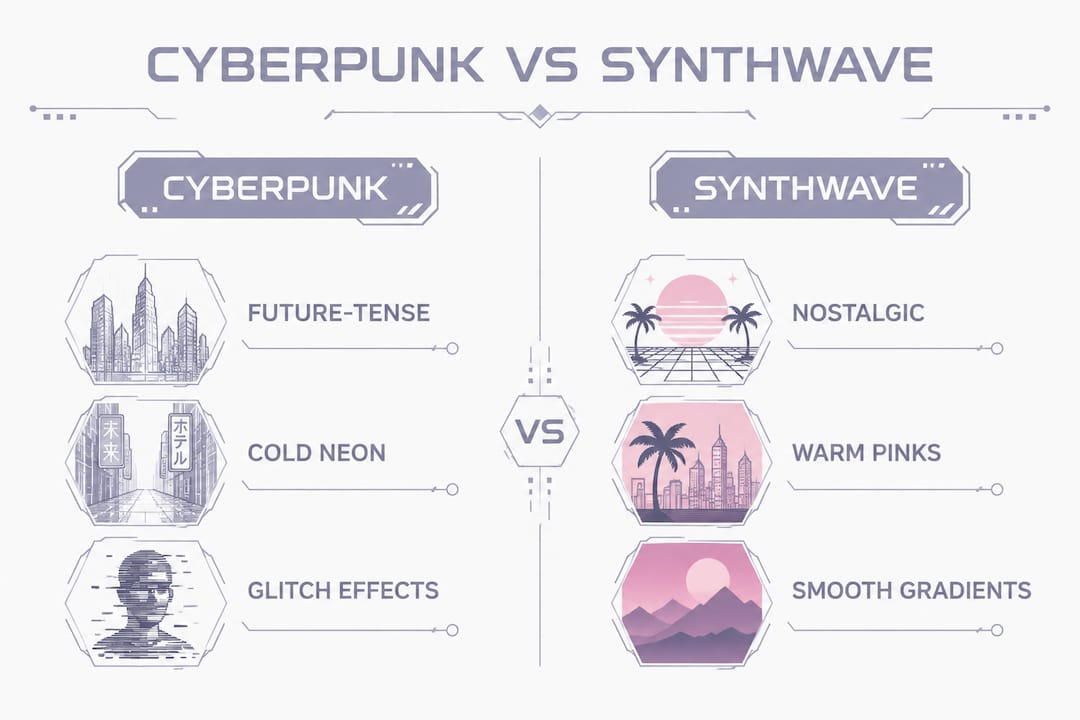
How does cyberpunk stream aesthetic differ from synthwave or general neon styles?
This is where a lot of streamers get tripped up. Neon does not automatically mean cyberpunk. The difference between cyberpunk and synthwave comes down to emotional tone and visual intent.
| Feature |
Cyberpunk |
Synthwave |
| Time orientation |
Future-tense, urgent |
Nostalgic, retro-futurism |
| Neon color palette |
Cold: cyan, green, harsh white |
Warm: pink, purple, soft gradients |
| Glitch effects |
Central, aggressive |
Rare or absent |
| Mood |
Gritty, tense, rebellious |
Dreamy, smooth, romantic |
| Typography |
Monospaced, hacker-style |
Retro serif, chrome lettering |
| Cultural reference |
Blade Runner, Ghost in the Shell |
1980s film soundtracks, Tron |
Synthwave looks back at what the 1980s imagined the future would feel like. Cyberpunk looks forward at a future that already went wrong. Both use neon and chrome, but their emotional cores are completely different. Synthwave feels like a sunset drive. Cyberpunk feels like a back-alley deal under a flickering streetlight.
The most common mistake streamers make is mixing warm pink-purple synthwave gradients with cyberpunk glitch effects. The result looks like a patchwork of two different moods. Pick one and commit to it. If you want the gritty, urgent energy, go full cyberpunk. If you want the nostalgic warmth, go synthwave. Trying to do both usually does neither well.
What are the best practices for designing cyberpunk stream overlays?
Good design decisions at the technical level make the difference between a cyberpunk stream that looks professional and one that looks like a rough draft. Here are the steps that matter most.
- Work at double your target resolution. Generate overlay assets at twice the intended display size before downscaling in OBS or Streamlabs. Downscaling preserves sharp glitch details. Upscaling destroys them. If your stream runs at 1080p, build your assets at 2160p.
- Set a minimum text resolution of 1920x1080. Professional streaming setups require text elements at this resolution or higher. Neon glow and glitch effects lose their definition at lower resolutions, and the whole aesthetic falls apart.
- Choose your neon colors deliberately. Cyan and green neon read clearly against dark backgrounds and do not blend with common game UI elements. Avoid heavy yellow tones. Yellow blends with health bars, ammo counters, and quest markers in many popular games, making your overlay disappear into the content.
- Test overlays across multiple game color palettes. Load your overlay over a bright game like Fortnite, a dark game like Elden Ring, and a colorful game like Valorant. If your overlay disappears or clashes in any of them, adjust contrast or opacity before going live.
- Control glitch intensity by layer. Apply heavy glitch effects only to decorative elements like borders and backgrounds. Keep text elements at moderate glitch intensity so viewers can read your name, social handles, and alerts without effort.
- Use analog neon glow as your base layer. The neon glitch text effect works best when you start with a warm, soft neon tube glow and then layer cold digital glitch artifacts on top. This creates the paradoxical look that defines the style: physical light corrupted by digital decay.
Pro Tip: Choose cyan or green for your primary text color. These colors maximize contrast on dark backgrounds and stay visible across the widest range of game environments.
How can streamers use cyberpunk visuals to build audience retention?
The cyberpunk aesthetic does more than look cool. Neon-themed elements and RGB lighting help make streams more visually captivating and memorable in competitive streaming markets. Viewers who recognize your visual identity come back. That recognition is built through consistency across every visual element on your channel.
Here is how to apply the aesthetic across your full streaming setup:
- Scene transitions. Use glitch-style stingers between scenes. A quick burst of RGB channel separation and scan lines signals a scene change without breaking the mood.
- Alerts. Follow alerts, donation alerts, and subscriber notifications should all carry the same neon glow and glitch treatment. Inconsistent alerts break the visual identity you are building.
- Webcam frames. A neon cyberpunk webcam frame places you inside the aesthetic rather than floating on top of it. Your face becomes part of the world you are building.
- Stream backgrounds. Dark, rain-soaked urban imagery works perfectly for starting-soon screens, be-right-back screens, and offline banners. These are the moments when your aesthetic speaks for itself without gameplay competing for attention.
- RGB lighting in your physical setup. Cyan or green LED strips behind your monitor reinforce the aesthetic in your webcam feed. This small physical detail makes the whole setup feel cohesive.
The cyberpunk aesthetic has evolved into a curated rebellion in streaming. Most streamers adopt the neon-soaked, high-tech visuals for branding appeal without incorporating the genre's darker themes of corporate oppression. That is completely fine. The aesthetic works as a visual tool even when you separate it from the original genre's politics. What matters is that your channel feels consistent, intentional, and visually distinct.
The cyberpunk look attracts viewers who want high-energy, tech-forward content. It signals that your channel is modern and takes production quality seriously. That signal alone can influence whether a first-time viewer clicks follow.
Key takeaways
The cyberpunk stream aesthetic works because it combines a specific set of visual rules, neon color choices, controlled glitch effects, and dark urban imagery, into a consistent identity that viewers recognize and remember.
| Point |
Details |
| Core visual contrast |
Cyberpunk is built on high tech versus low life; dark backgrounds make neon elements pop. |
| Glitch effect control |
Keep glitch intensity moderate on text elements to maintain readability during gameplay. |
| Color selection |
Use cyan or green neon for text; avoid yellow, which blends with common game UI elements. |
| Resolution workflow |
Build overlay assets at double the target display size, then downscale in OBS or Streamlabs. |
| Aesthetic consistency |
Apply the same neon and glitch treatment to alerts, webcam frames, and transitions for a unified look. |
Why most streamers get the cyberpunk aesthetic wrong
I have watched a lot of streamers attempt the cyberpunk look, and the most common mistake is treating it as a color choice rather than a design system. They grab a neon purple font, slap it on a dark background, and call it cyberpunk. It is not. The aesthetic only works when every element speaks the same visual language: the glow, the glitch, the typography, the background, and even the physical lighting in your room.
The second mistake is going too heavy on the glitch. I get it. Glitch effects look impressive in isolation. But on a live stream, where your viewer is also watching gameplay, reading chat, and processing audio, a heavily corrupted overlay becomes noise. The best cyberpunk streams I have seen use glitch effects sparingly on decorative elements and keep text clean enough to read at a glance.
The third thing I would push back on is the idea that you need to fully commit to the genre's dystopian themes to pull off the aesthetic. You do not. The visual system stands on its own. Use the neon, use the glitch, use the dark urban imagery. Build a channel that looks like it belongs in a future city. Your content and personality will fill in the rest. Experiment with the framework. The streamers who stand out are the ones who take the core rules seriously and then find one unexpected element that makes the look their own.
Ready-made cyberpunk overlays from Neonstreamlab
Building a cyberpunk stream from scratch takes time, and getting the technical details right, resolution, glitch intensity, color balance, is genuinely tricky. Neonstreamlab offers a full range of animated cyberpunk overlay packs built specifically for Twitch, YouTube, and Kick, all optimized for OBS and Streamlabs.
If you are just getting started, the free cyberpunk overlay pack includes animated neon screens and webcam panels you can download and install immediately. For a more immersive setup, the cyberpunk hacker terminal pack delivers a full animated overlay system with neon webcam effects and a hacker-terminal visual theme. Every pack uses original audio, so there are no copyright issues on your stream. NeonStreamLab packs are built as cohesive visual systems, so the screen, alerts and panels feel consistent from the first scene.
FAQ
What is the cyberpunk stream aesthetic in simple terms?
The cyberpunk stream aesthetic is a visual style built on neon colors, digital glitch effects, and dark urban imagery. Streamers use it to create a futuristic, high-energy channel identity inspired by works like Blade Runner and Ghost in the Shell.
What colors define the cyberpunk streaming look?
Cyan and green are the primary neon colors for cyberpunk streams. Purple and magenta work as accents, and all colors are placed against near-black backgrounds to maximize contrast and visual impact.
How is cyberpunk different from synthwave as a stream aesthetic?
Cyberpunk is future-tense, gritty, and uses cold neon with aggressive glitch effects. Synthwave is nostalgic and warm, with soft pink-purple gradients and almost no glitch elements. The two styles share neon but differ completely in mood and intent.
Do I need to use glitch effects to achieve the cyberpunk look?
Glitch effects are central to the cyberpunk aesthetic, but moderate intensity is critical. Heavy glitch corruption on text elements reduces readability during gameplay and frustrates viewers. Use strong glitch on decorative borders and light glitch on readable text.
What resolution should my cyberpunk stream overlays be?
Build overlay assets at twice your target display size and downscale in OBS or Streamlabs. For a 1080p stream, create assets at 2160p. This workflow keeps glitch details sharp and prevents the soft, blurry look that undermines the aesthetic.
Recommended
Get matching overlays from NeonStreamLab
At NeonStreamLab we design premium animated overlay packs that already put these principles into practice - balanced colour, clean hierarchy and a cohesive look across screens, alerts, webcam frames and panels. Browse Cyberpunk overlays, Neon overlays, Horror & Gothic overlays to find a theme that fits your channel, like our Cyberpunk pack.
Every pack works with OBS, Streamlabs and StreamElements, uses original copyright-free audio, and downloads instantly. Want to try before you buy? Try our free screen makers and see how a matching look feels on your stream.